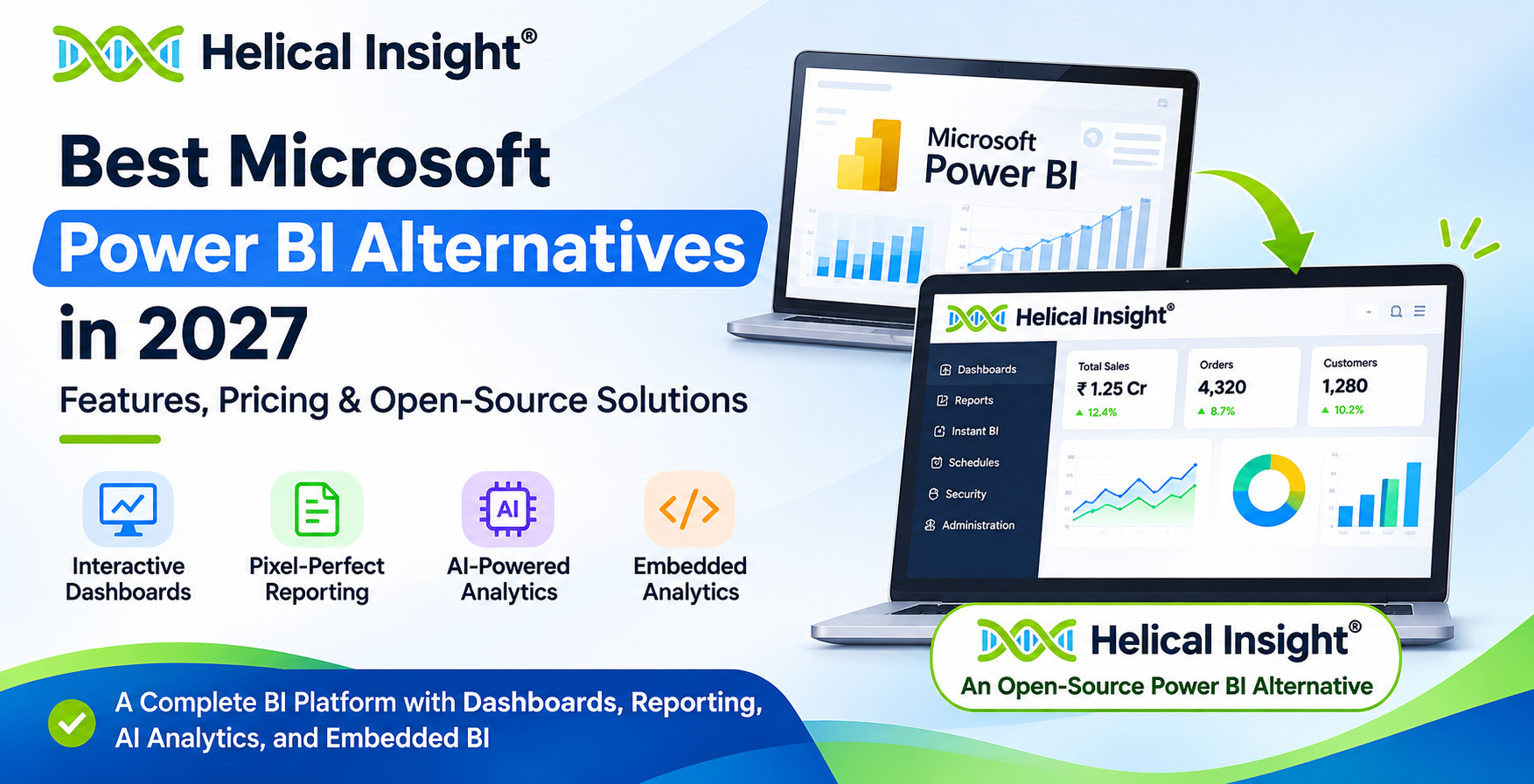
Helical Insight: An Open-Source Alternative to Microsoft Power BI
If you are searching for an open-source Power BI alternative that offers more than basic dashboards, Helical Insight is worth evaluating.
Helical Insight is an open-source Business Intelligence and Embedded Analytics platform developed by Helical IT Solutions. It combines interactive dashboards, pixel-perfect reporting, AI-powered conversational analytics, embedded analytics, data security, and flexible deployment capabilities.
One of its important advantages is that its Community Edition provides the complete feature set available in its Enterprise Edition. The differences between the editions are commercial support and branding.
Unlike BI platforms that reserve certain advanced capabilities for paid editions, Helical Insight makes its core functionality available in the free Community Edition. This allows organizations to evaluate and use the platform without software licensing fees.
Why Choose Helical Insight Over Microsoft Power BI?
Let’s explore the capabilities that make Helical Insight an interesting open-source Power BI alternative and understand how each feature addresses real-world business intelligence requirements.
1. Completely Free and Open-Source BI Platform
Helical Insight Community Edition is available free forever. Organizations can use the platform without paying software licensing fees or purchasing an Enterprise Edition to unlock additional BI functionality.
It is suitable for:
- Startups and small businesses
- Large enterprises
- SaaS companies
- Software development companies
- Educational institutions
- System integrators
- Organizations building internal BI applications
The source code is available, allowing developers to explore the platform and work with its open-source codebase.
2. AI-Powered Conversational Analytics
Traditional BI platforms often require users to navigate dashboards, select filters, and understand reports to find specific insights. Helical Insight provides an AI-powered conversational analytics module called Instant BI.
Users can interact with business data using natural-language questions and explore information through conversational analytics.
Example questions users can ask:
- What was our total revenue last month?
- Which products generated the highest sales?
- Show the monthly sales trend.
- Which region performed better this quarter?
The platform also supports a Bring Your Own LLM (BYO-LLM) approach, allowing organizations to configure supported external or self-hosted language models. This is useful for businesses combining traditional BI with Generative AI.
3. Interactive Dashboards
Helical Insight enables users to create interactive dashboards with multiple visualization options. Organizations can build dashboards to monitor sales, finance, operations, customer performance, and other business metrics.
Dashboard capabilities include:
- Charts and graphs
- Tables and KPI visualizations
- Interactive filters
- Drill-down and drill-through
- Cross-filtering and dashboard interactions
- Custom dashboard layouts
These capabilities help users move from high-level business metrics to detailed information and investigate performance without relying entirely on static reports.
4. Pixel-Perfect and Paginated Reporting
One important requirement that organizations sometimes overlook when evaluating BI tools is pixel-perfect reporting.
Dashboards are excellent for interactive analysis, but many business processes require printable and structured reports with predefined layouts, headers, footers, page numbers, and precise formatting.
Helical Insight supports reporting requirements such as:
- Financial statements
- Invoices and purchase orders
- Operational reports
- Employee reports
- Customer statements
- Regulatory and compliance reports
This allows organizations to manage interactive dashboards and structured reporting within the same BI platform.
5. Embedded Analytics for SaaS Applications
For SaaS companies and software vendors, embedding analytics into their applications is an important requirement.
Helical Insight provides embedded analytics capabilities that allow developers to integrate dashboards and reports into existing applications.
Important capabilities include:
- Dashboard embedding
- Report embedding
- SSO integration
- White labeling
- Multi-tenancy
- Row-level data security
- REST APIs
This makes Helical Insight suitable for organizations that want to provide analytics as part of their own software products.
6. White Labeling and Branding
Businesses building customer-facing analytics applications may not want their customers to see another BI vendor’s branding.
Helical Insight Enterprise Edition supports branding removal, allowing organizations to present analytics under their own brand. The Community Edition includes the same analytics functionality but retains Helical Insight branding on charts and exports.
7. Multi-Tenancy
Multi-tenancy is particularly important for SaaS companies serving multiple customers through a single application.
Helical Insight supports multi-tenancy, allowing organizations to manage analytics environments for different tenants. Combined with appropriate access-control configurations, this helps SaaS providers deliver customer-specific dashboards and reports.
8. Row-Level Data Security
Data security is essential when different users need access to different portions of the same dataset.
Helical Insight includes row-level security capabilities to control which records users can access.
Example access scenarios:
- A regional manager can access data for their assigned region.
- A sales manager can view information for their sales team.
- A customer can access only their organization’s information.
- A department head can access department-specific reports.
This is particularly useful when building multi-user and customer-facing analytics applications.
9. Report Scheduling and Bursting
Organizations frequently need to distribute reports automatically rather than generating and sending them manually.
Helical Insight provides report scheduling and bursting capabilities.
- Report Scheduling: Generate and deliver reports at predefined intervals.
- Report Bursting: Distribute reports to different recipients based on configured reporting requirements.
These capabilities are useful for finance, sales, operations, and management reporting.
10. Flexible Deployment Options
Different organizations have different infrastructure and data governance requirements. Helical Insight supports flexible deployment options, including:
- Windows
- Linux
- Docker
- Kubernetes
- Cloud environments
- On-premises infrastructure
- Hybrid environments
This flexibility makes it suitable for organizations that prefer self-hosted analytics or want greater control over their BI infrastructure.
11. REST APIs and Developer-Friendly Integration
Helical Insight provides REST APIs and integration capabilities that help developers connect the BI platform with existing applications and workflows. Developers can use these capabilities to integrate reporting and analytics into business applications and build customized analytics experiences.
12. Connect to Different Data Sources
A BI platform should be capable of accessing information from the databases and data systems an organization already uses. Helical Insight supports connections to different data sources, allowing organizations to build reports and dashboards using their business data.
Helical Insight Community Edition vs. Enterprise Edition
One of the biggest differences in Helical Insight’s licensing approach is that its Community Edition does not restrict core product features. Both editions provide the same BI functionality, while branding and support arrangements differ.
| Features |
Community Edition |
Enterprise Edition |
| Interactive Dashboards |
Yes |
Yes |
| AI-Powered Instant BI |
Yes |
Yes |
| Conversational Analytics |
Yes |
Yes |
| Pixel-Perfect Reporting |
Yes |
Yes |
| Embedded Analytics |
Yes |
Yes |
| SSO |
Yes |
Yes |
| Multi-Tenancy |
Yes |
Yes |
| Row-Level Security |
Yes |
Yes |
| White Labeling |
Helical Insight branding remains |
Branding removal |
| Report Scheduling |
Yes |
Yes |
| Report Bursting |
Yes |
Yes |
| Source Code |
Available |
Available |
| License Cost |
Free Forever |
Custom Pricing |
| Support |
Community Forum |
Enterprise Support and SLA |
The important point: Organizations do not need to purchase the Enterprise Edition just to unlock additional BI features. Both editions provide the same functionality. The primary differences are branding and support arrangements.
Which Edition Should You Choose?
Choose Community Edition if you are comfortable with community-based support and retaining Helical Insight branding on charts and exports.
Choose Enterprise Edition if you require dedicated enterprise support, contractual SLAs, and branding removal.
Pricing Comparison: Microsoft Power BI vs. Helical Insight
Pricing is one of the most important considerations when evaluating a Power BI alternative. The total cost of a Business Intelligence platform depends not only on its subscription price but also on the number of users, report-sharing requirements, deployment model, capacity, and features required by an organization.
Microsoft Power BI offers free and paid licensing options, including Pro, Premium Per User, and capacity-based options through Microsoft Fabric. Helical Insight follows a different pricing model by offering a free Community Edition and a customized Enterprise Edition.
Microsoft Power BI Pricing
Microsoft Power BI provides different pricing plans depending on how individuals and organizations create, publish, share, and distribute reports. The following table presents the published Microsoft India prices available at the time of writing.
| Power BI Plan |
Published Price in India |
Pricing Model |
| Power BI Free |
Free |
Individual use |
| Power BI Pro |
₹1,165 |
Per user/month, billed annually |
| Power BI Premium Per User |
₹1,995 |
Per user/month, billed annually |
| Microsoft Fabric Capacity |
Variable |
Capacity-based pricing |
| Power BI Embedded |
Variable |
Capacity and usage-based considerations |
Note: GST is extra where applicable. Prices and purchasing conditions may change. Check Microsoft’s official pricing page for the latest rates and licensing details.
Official pricing:
Microsoft Power BI Pricing
Helical Insight Pricing
Helical Insight offers two editions: Community Edition and Enterprise Edition. Organizations can use the free Community Edition without software licensing fees, while businesses requiring dedicated commercial support and branding removal can choose the Enterprise Edition.
1. Helical Insight Community Edition
100% Free Forever – No Software Licensing Fees
The Helical Insight Community Edition provides the product functionality described below without time restrictions or feature restrictions compared to the Enterprise Edition. download free
- ✔ No software licensing fees or time restrictions
- ✔ No feature restrictions compared to the Enterprise Edition
- ✔ Interactive dashboards and data visualizations
- ✔ AI-powered conversational analytics
- ✔ Embedded analytics
- ✔ Pixel-perfect and paginated reporting
- ✔ SSO and multi-tenancy
- ✔ Row-level security
- ✔ White-labeling capabilities, with Helical Insight branding retained
- ✔ Report scheduling and bursting
2. Helical Insight Enterprise Edition
Customized Pricing – Contact the Helical Insight Team
The Enterprise Edition provides the same product functionality as the Community Edition, along with additional commercial benefits for organizations that require dedicated assistance and enterprise-level support.
- ✔ Same product functionality as the Community Edition
- ✔ Dedicated enterprise support
- ✔ Contractual support SLAs
- ✔ Removal of mandatory Helical Insight branding
- ✔ Commercial assistance for enterprise deployments
- ✔ Customized pricing based on organizational requirements. download 30-day free enterprise edition
Helical Insight Community vs. Enterprise Edition
| Comparison |
Community Edition |
Enterprise Edition |
| Software Licensing |
Free forever |
Customized pricing |
| Product Functionality |
Full feature set |
Same feature set |
| Interactive Dashboards |
Included |
Included |
| AI-Powered Analytics |
Included |
Included |
| Paginated Reporting |
Included |
Included |
| Embedded Analytics |
Included |
Included |
| Helical Insight Branding |
Retained |
Can be removed |
| Dedicated Enterprise Support |
Community support |
Included |
| Contractual Support SLA |
Not included |
Available |
What Should You Look for in a Microsoft Power BI Alternative?
Before selecting an alternative, evaluate the following important capabilities. These factors will help you identify a BI platform that meets your current reporting requirements and supports future business growth.
1. Interactive Dashboards and Data Visualization
A BI platform should allow users to create interactive dashboards using different visualization types, including charts, tables, KPIs, maps, and graphical representations.
Look for filtering, drill-down, drill-through, and interactive data exploration capabilities that help users move from high-level business metrics to detailed information.
2. Self-Service Business Intelligence
Business users should be able to access relevant information and explore data without depending entirely on technical teams.
A self-service BI platform helps reduce the time required to generate business insights and enables teams to make data-driven decisions more independently.
3. Pixel-Perfect and Paginated Reporting
Not every business reporting requirement can be fulfilled using dashboards. Organizations often need structured, printable reports with predefined layouts, headers, footers, page numbers, and precise formatting.
Look for a BI platform that supports both interactive dashboards and pixel-perfect reporting. This is especially important for invoices, financial statements, operational reports, and customer documents.
4. Embedded Analytics
Embedded analytics allows organizations to integrate dashboards and reports directly into their applications, websites, or SaaS products.
Important capabilities include:
- Dashboard and report embedding
- White labeling
- Single Sign-On (SSO)
- Multi-tenancy
- Role-based access
- Row-level data security
5. AI-Powered Analytics
Modern BI platforms are increasingly incorporating artificial intelligence to make data exploration easier and more accessible.
Look for features such as:
- Natural-language queries
- Conversational analytics
- Automated data exploration
- Large Language Model (LLM) integrations
- Self-hosted AI model support
6. Deployment Flexibility
A good alternative should support the deployment model required by your organization. Depending on the platform, this may include Windows, Linux, Docker, Kubernetes, cloud, on-premises, and hybrid environments.
Evaluate deployment flexibility based on your infrastructure, data governance policies, scalability requirements, and IT management preferences.
7. Security and Access Management
Data security is essential when multiple departments, customers, and business users access the same BI platform.
Consider the following security capabilities:
- Role-based access control
- Row-level security
- Single Sign-On (SSO)
- Multi-tenancy
- Secure embedding
- Authentication and authorization integrations
8. Transparent and Predictable Pricing
Compare licensing models carefully. Check whether the platform charges per user, per creator, per viewer, per core, or through infrastructure capacity.
Also consider whether advanced features require additional paid editions. Evaluate the total cost of ownership, including infrastructure, implementation, maintenance, support, and future user growth.
Which Power BI Alternative Meets These Requirements?
If you are looking for a platform that combines interactive dashboards, pixel-perfect reporting, embedded analytics, AI-powered conversational BI, security, and flexible deployment, Helical Insight is a strong open-source alternative to evaluate.
Try 30-day free enterprise trail
FAQs: Microsoft Power BI alternative open source
Here are answers to some of the most common questions about Microsoft Power BI alternatives, open-source BI platforms, and Helical Insight.
1. What is the best alternative to Microsoft Power BI?
The best alternative to Microsoft Power BI depends on your organization’s reporting, analytics, deployment, and licensing requirements. Helical Insight is a strong option for organizations looking for an open-source BI platform with interactive dashboards, AI-powered analytics, embedded reporting, pixel-perfect reports, and self-hosted deployment.
2. Is there a free and open-source alternative to Power BI?
Yes. Helical Insight Community Edition is a free and open-source alternative to Power BI. It includes interactive dashboards, AI-powered conversational analytics, embedded analytics, pixel-perfect reporting, SSO, multi-tenancy, and row-level security without software licensing fees.
3. Is Helical Insight better than Power BI?
Helical Insight and Power BI address different business requirements. Microsoft Power BI offers extensive integration with the Microsoft ecosystem, while Helical Insight provides an open-source BI platform with embedded analytics, self-hosted deployment, pixel-perfect reporting, and a free Community Edition. The better choice depends on your use case, technical requirements, and budget.
4. Does Helical Insight support embedded analytics?
Yes. Helical Insight supports embedded dashboards and reports, SSO, multi-tenancy, white labeling, and row-level security. These capabilities make it suitable for SaaS companies and software vendors that want to integrate analytics and reporting into their own applications.
5. Does Helical Insight support AI-powered analytics?
Yes. Helical Insight includes Instant BI, an AI-powered conversational analytics module that allows users to interact with business data using natural language. It supports a Bring Your Own LLM (BYO-LLM) approach, allowing organizations to configure supported cloud LLM providers and self-hosted models.
6. Is Helical Insight Community Edition completely free?
Yes. Helical Insight Community Edition is free forever and provides the complete feature set available in the Enterprise Edition. The main differences are commercial support, contractual support SLAs, and the removal of mandatory Helical Insight branding in the Enterprise Edition.
7. Does Helical Insight support pixel-perfect reporting?
Yes. Helical Insight supports pixel-perfect paginated reporting, making it suitable for generating structured business documents such as invoices, financial statements, operational reports, and other printable reports where consistent formatting and page layouts are important.
8. Can Helical Insight be deployed on-premises?
Yes. Helical Insight supports self-hosted and on-premises deployment. It can be deployed in Windows and Linux environments, as well as through Docker and Kubernetes-based deployments. Organizations can choose a deployment approach according to their infrastructure and operational requirements.
9. Does Helical Insight support row-level security?
Yes. Helical Insight includes row-level data security capabilities that help restrict data access according to configured user and role permissions. This allows organizations to control which records different users can access through reports and dashboards.
10. Can I use Helical Insight for SaaS applications?
Yes. Helical Insight can be used to integrate analytics into SaaS applications. It provides embedded analytics, SSO, multi-tenancy, white labeling, REST APIs, and row-level security to help SaaS providers deliver reporting and analytics within their software products.
11. Does Helical Insight support report scheduling and bursting?
Yes. Helical Insight supports automated report scheduling and report bursting. Organizations can configure reports to be generated and distributed to specified recipients, helping automate recurring reporting and reduce manual report distribution.
12. What is the difference between Power BI and open-source BI tools?
Microsoft Power BI is a proprietary Business Intelligence platform with subscription-based and capacity-based licensing options. Open-source BI tools provide access to their source code and may offer free licensing, self-hosted deployment, and greater flexibility in customization. However, features, support models, deployment options, and licensing conditions vary across platforms. Helical Insight is one option for organizations looking for open-source BI with dashboards, AI-powered analytics, embedded reporting, and pixel-perfect paginated reports.
Looking for an Open-Source Power BI Alternative?
Explore Helical Insight Community Edition and experience dashboards, AI-powered analytics, embedded reporting, and pixel-perfect reports without software licensing fees.
Download Free