
In this blog, we will learn how to implement Condition section display in the canned reporting module of Open Source BI helical Insight.
This functionality allows users to dynamically show or hide specific sections — such as detailed data, summaries, or cover pages — based on user selection/parameter values passed during execution.
To implement this functionality, we first created a parameter by clicking the ‘+’ icon.
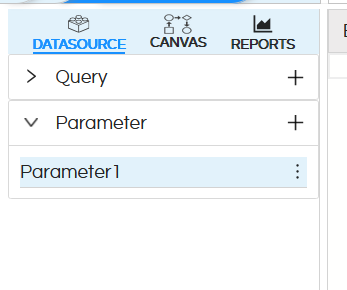
After that, you can edit the parameter name by clicking the three dots — you’ll get an option to edit it.
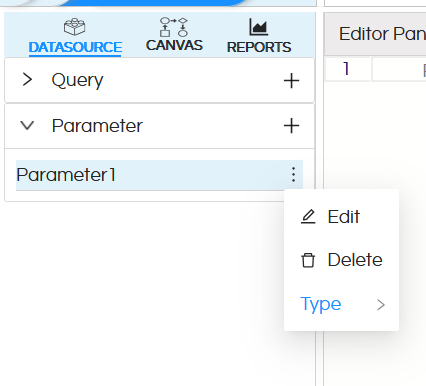
Here we have named my parameter.
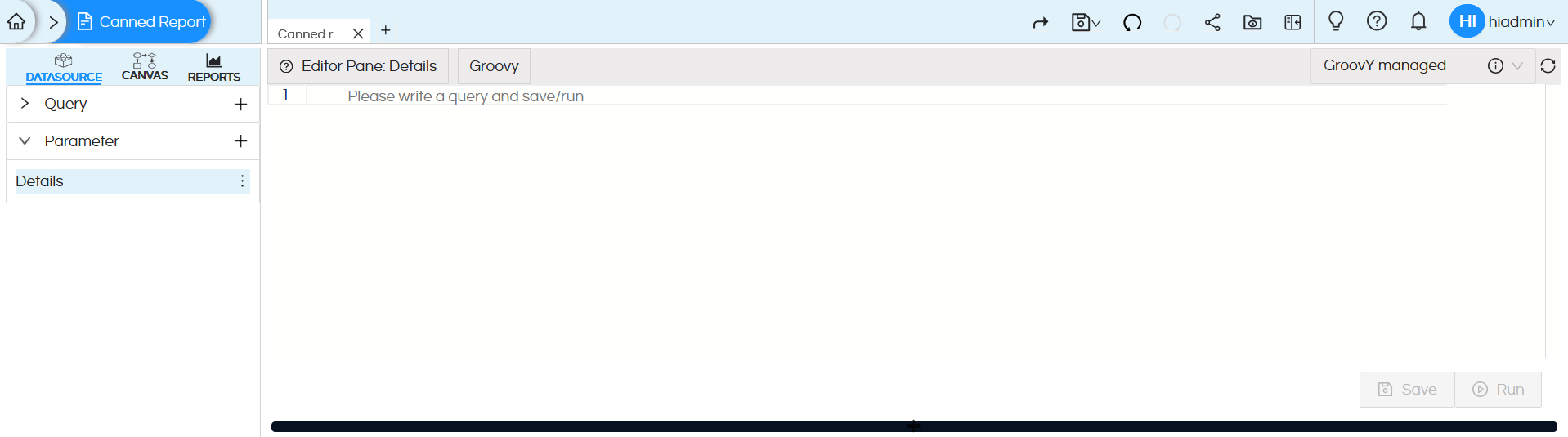
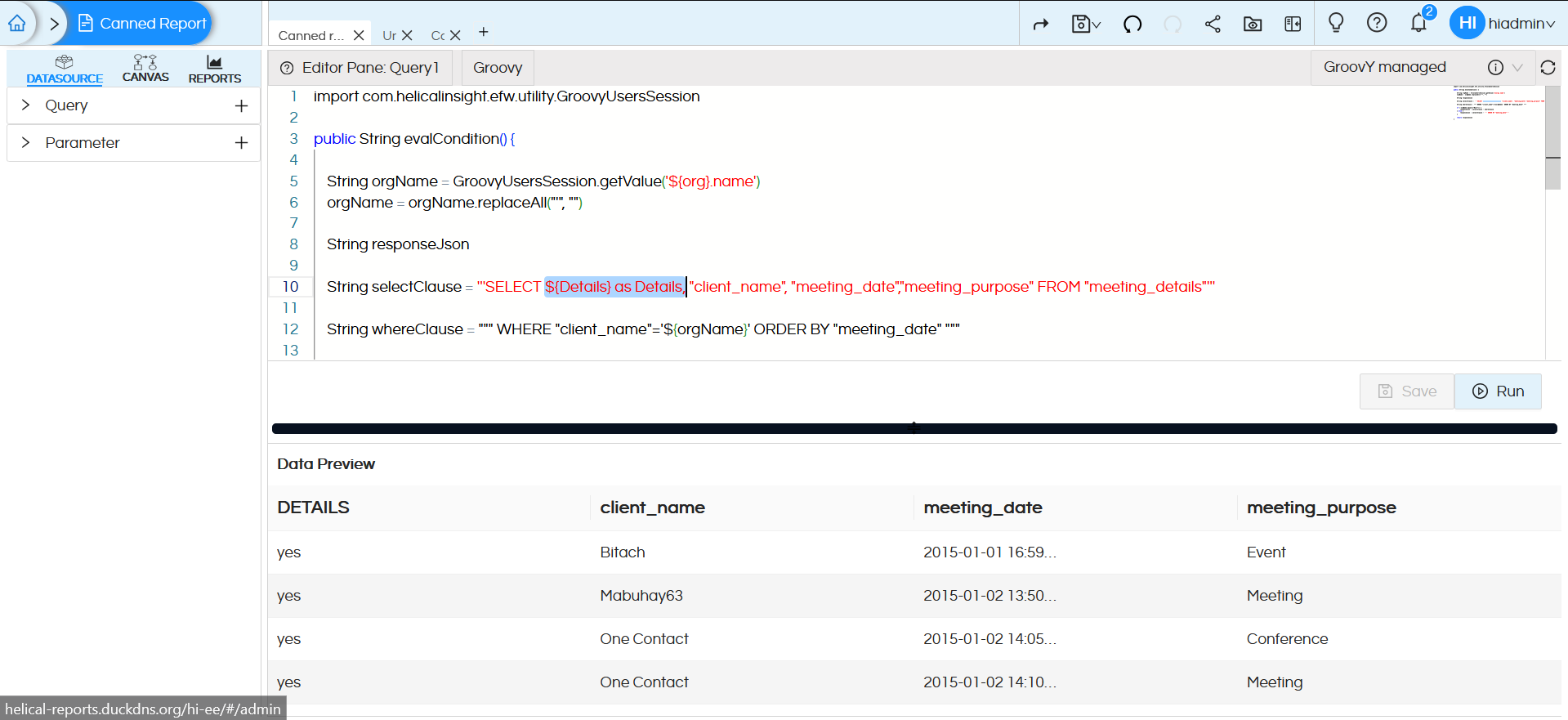
Check the below image — we have added the parameter as a dummy parameter in the select query so that it is available in the canvas.
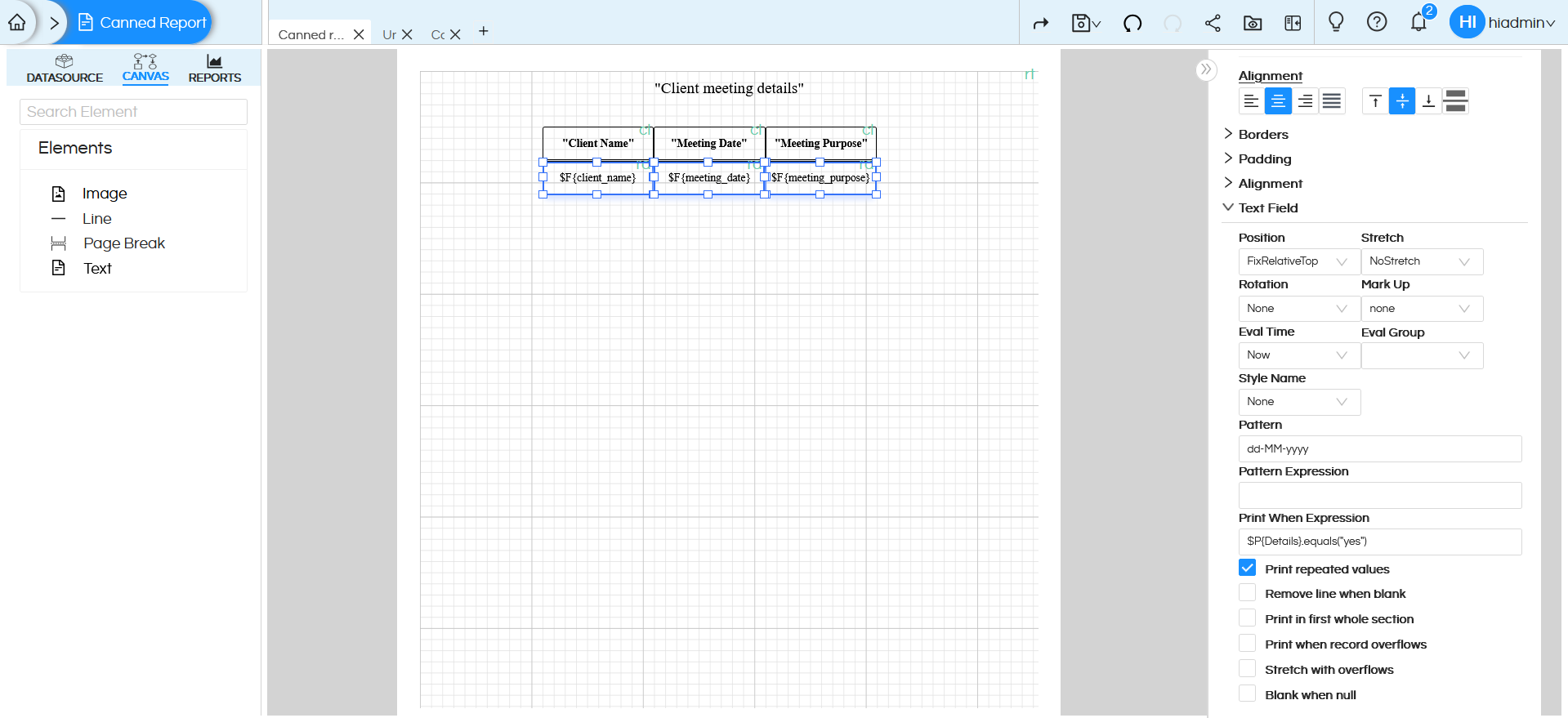
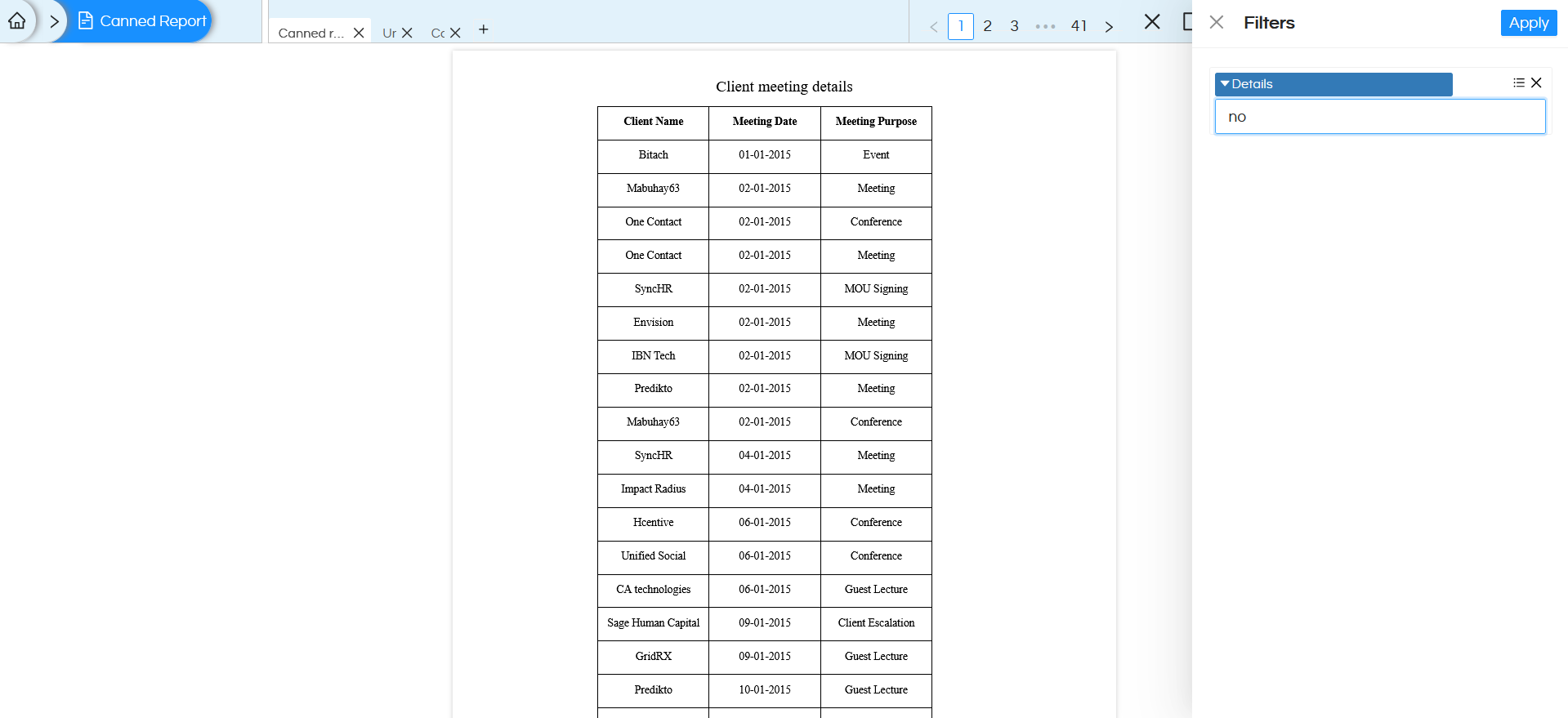
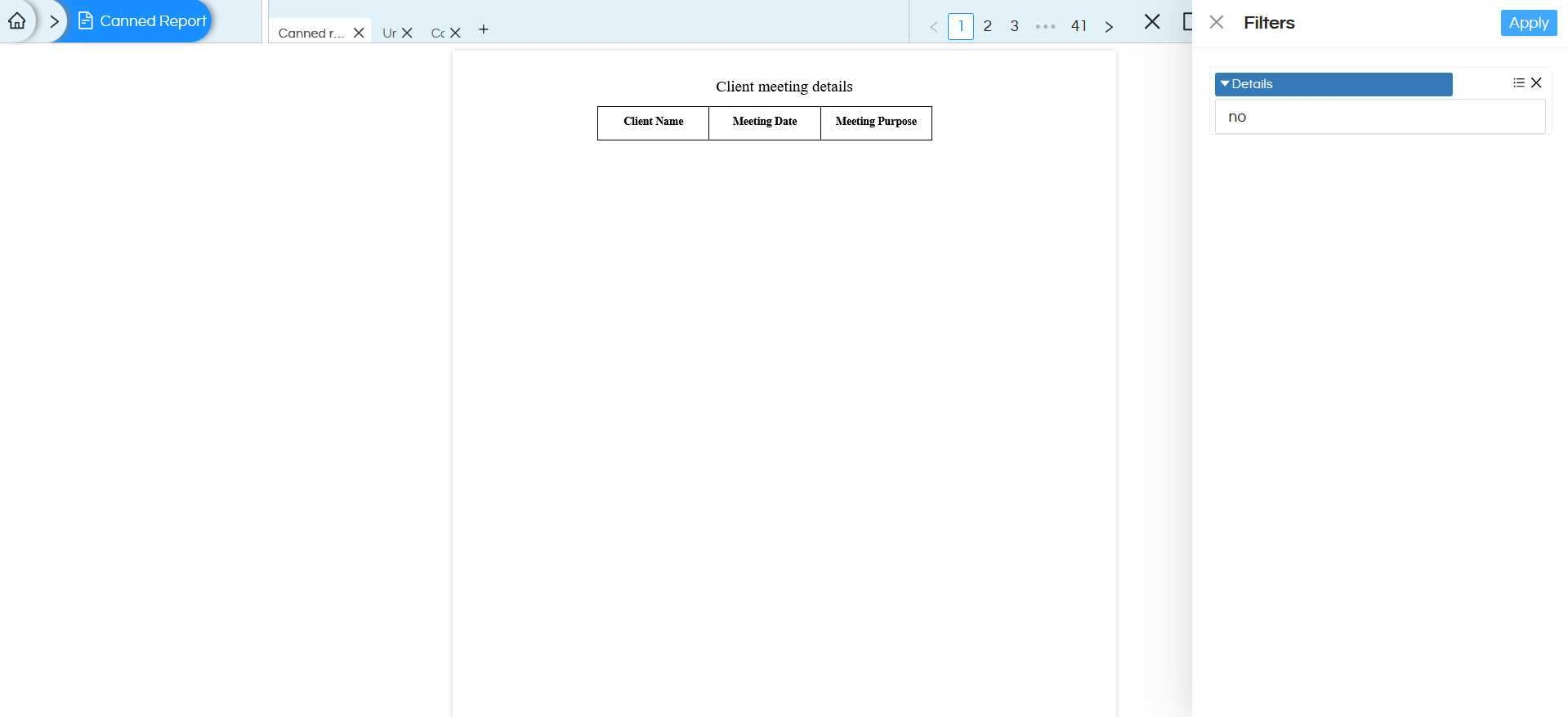
In the above image we have applied $P{Details}.equals(“yes”) expression to all the text fields that belong to the detailed part of the report. Which means when the Details parameter value is set to “yes”, the report displays all sections — including detailed data, When the value is “no”, the report displays only the title and column headers.
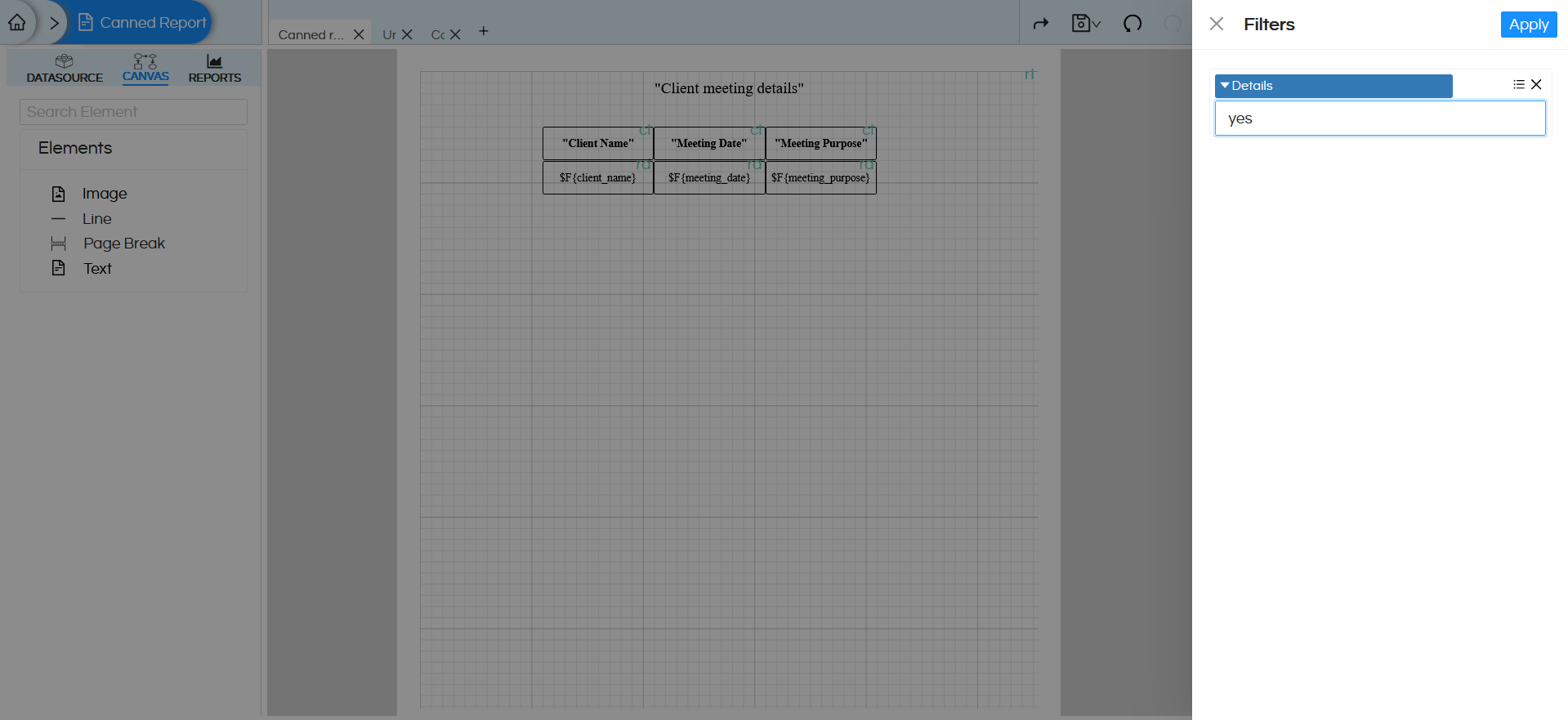
After completing the Canvas configuration click on the Preview option to execute and visualize the report. After clicking Preview, the Filter section will appear with the Details parameter as an input option. Here, when selected “yes” for the Details parameter to verify the conditional display functionality.
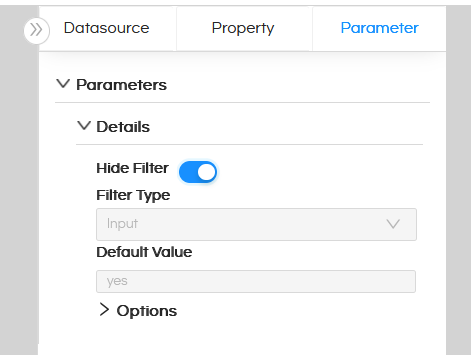
We can also hide the parameter from the user interface by assigning a default value to it. By setting a default value, the parameter is automatically populated during report execution and does not require manual input from the user.
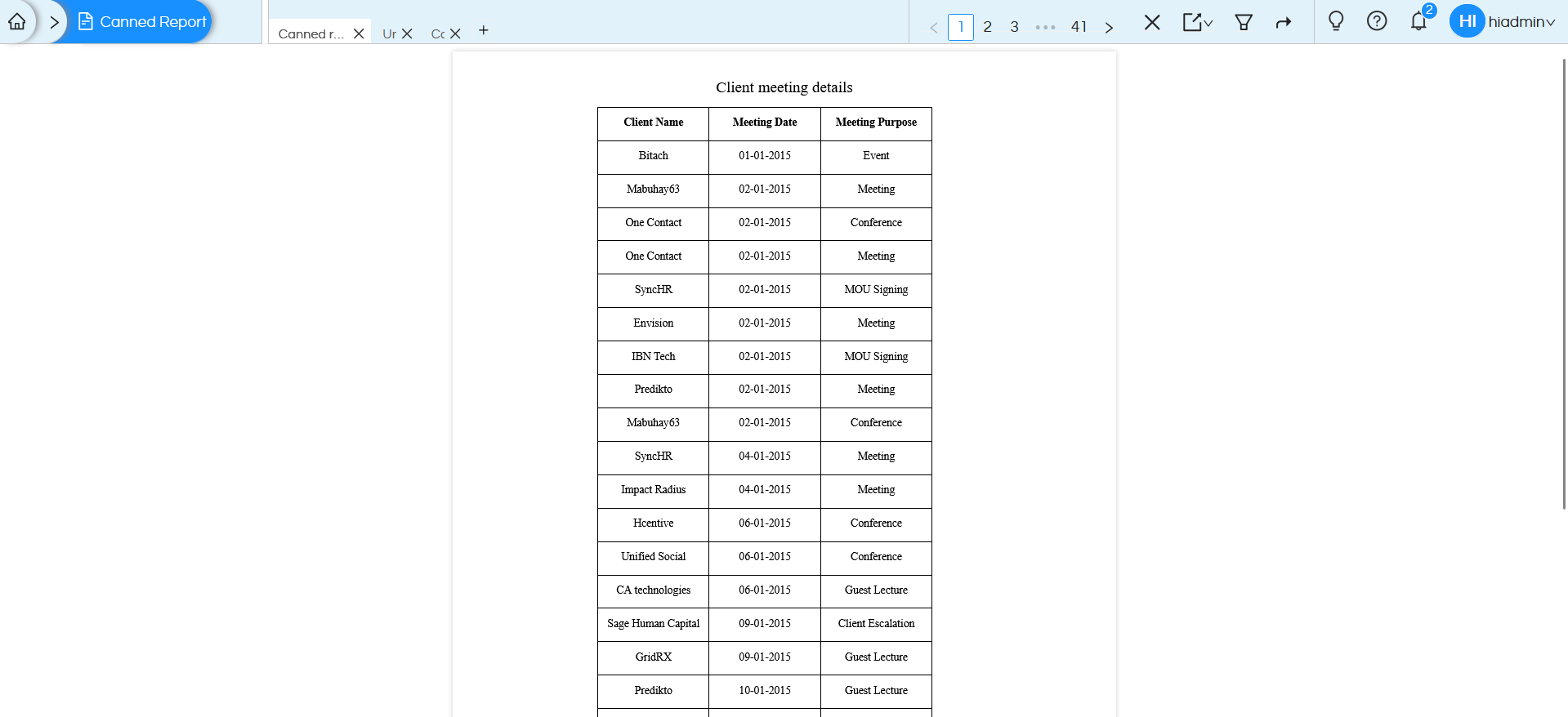
Since the value is set to “yes”, the report displays all the information, including detailed data records, Refer the below image.
If the Details parameter is set to “no”, only the Title and column headers will be visible, while the detailed rows will remain hidden. Refer the below images:
Overall, this approach enhances usability, reduces redundancy, and provides a more interactive reporting experience.
It is also possible to pass the filtername and filtervalue, rather than from UI, directly into the report URL as well. Hence here we are passing Details is yes or no from the UI, rather it can be passed from some other 3rd party application as well, This is helpful when we are implementing embedding. Refer here to learn more :
https://www.helicalinsight.com/passing-filter-values-in-url-in-helical-insight/
