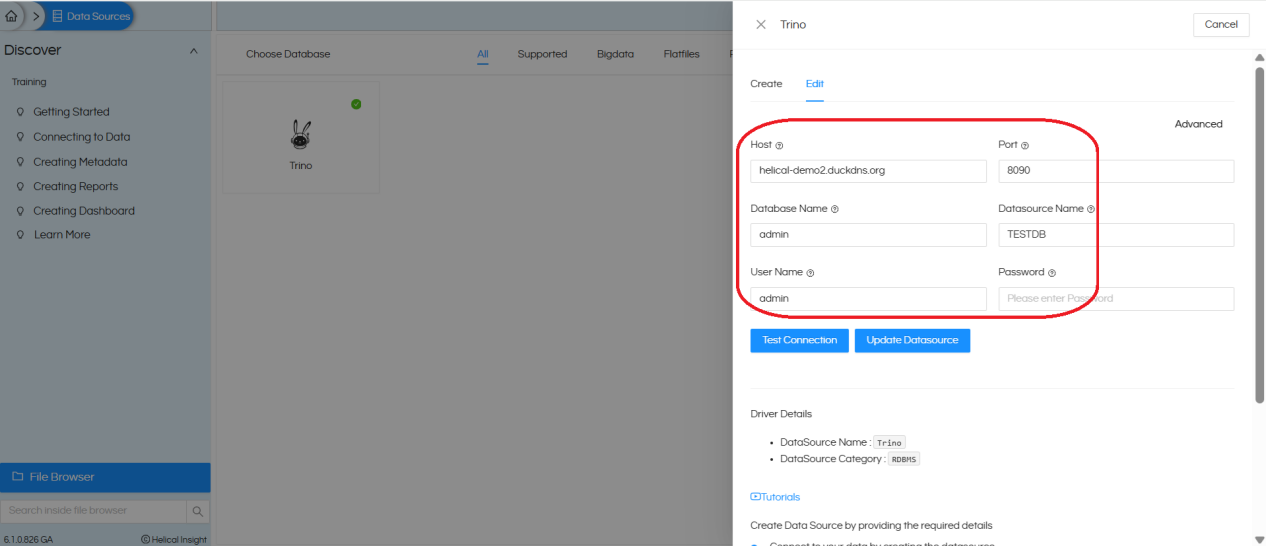
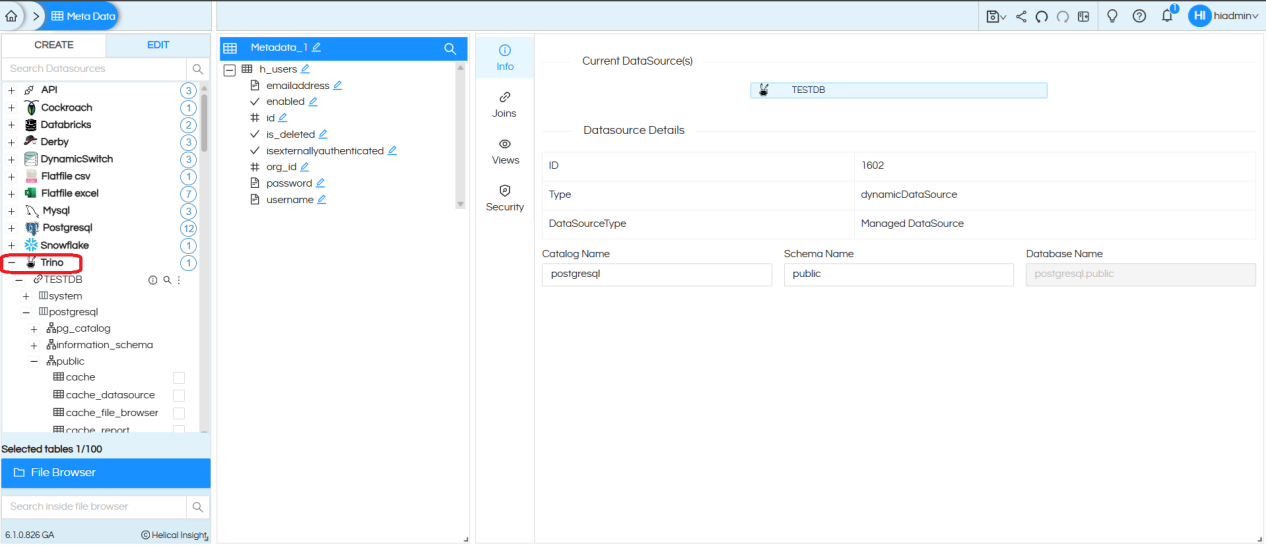
This guide shows how to set up Trino in the Helical Insight Docker environment. Using Docker makes installation easier and keeps Trino separate from other services. This setup also improves connectivity to databases like MongoDB. It’s a quick and convenient way to use Trino with Helical Insight.
Step by step process to configure trino :
-
Download trino.zip file and extract it and copy into below path
/opt/Helical826_610GA (docker yml configuration path)
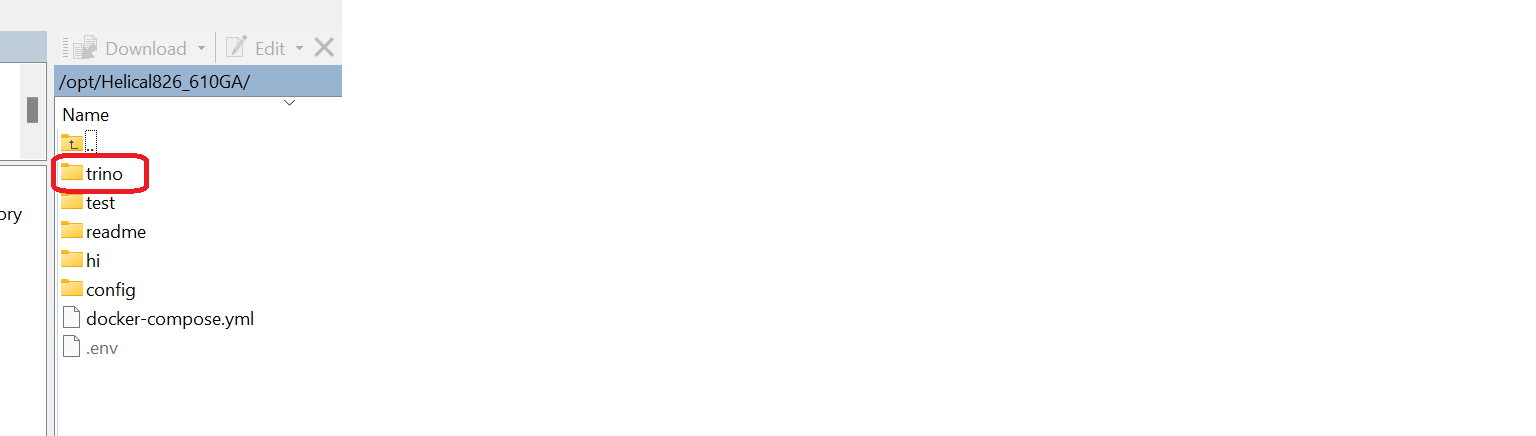
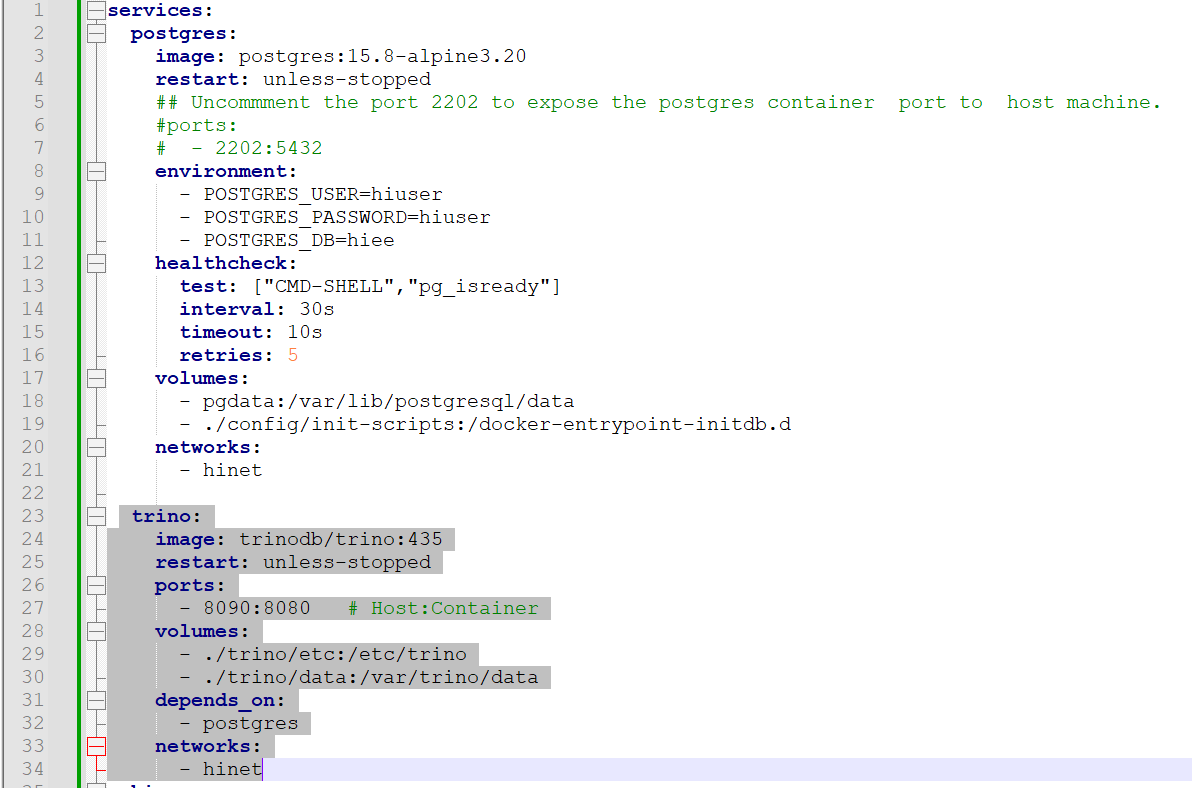
- Open docker-compose.yml and add below configuration from line no (23-34)
-
In order to configure database we need to create a properties(the database which you want to configure) file and should keep in below path
Example : /opt/Helical826_610GA/trino/etc/catalog
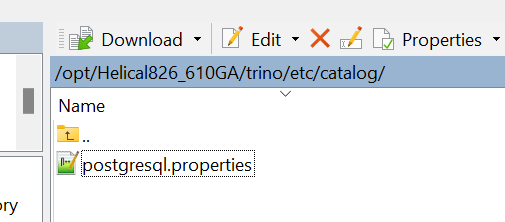

Example 1 : MongoDB
mongodb.properties
connector.name=mongodb
mongodb.connection-url=mongodb+srv://username:password@hostname
mongodb.case-insensitive-name-matching=true
mongodb.tls.enabled=true
connector.name=mongodb
mongodb.connection-url=mongodb+srv://username:password@hostname
mongodb.case-insensitive-name-matching=true
mongodb.tls.enabled=true
Example2 : Postgres
connector.name=postgresql
connection-url=jdbc:postgresql://localhost:5432/hiee
connection-user=postgres
connection-password=helical
connection-url=jdbc:postgresql://localhost:5432/hiee
connection-user=postgres
connection-password=helical
Example3 : SQLServer
connector.name=sqlserver
connection-url=jdbc:sqlserver://localhost:1433;databaseName=DBName;encrypt=false
connection-user=provide database username
connection-password=provide database password
case-insensitive-name-matching=false
connection-url=jdbc:sqlserver://localhost:1433;databaseName=DBName;encrypt=false
connection-user=provide database username
connection-password=provide database password
case-insensitive-name-matching=false
-
Run the following command
sudo chown -R 1000:1000 trino/data
- Start the docker container
- Check via docker ps
-
Check logs using below command, if you face any issues in starting trino
docker compose logs trino

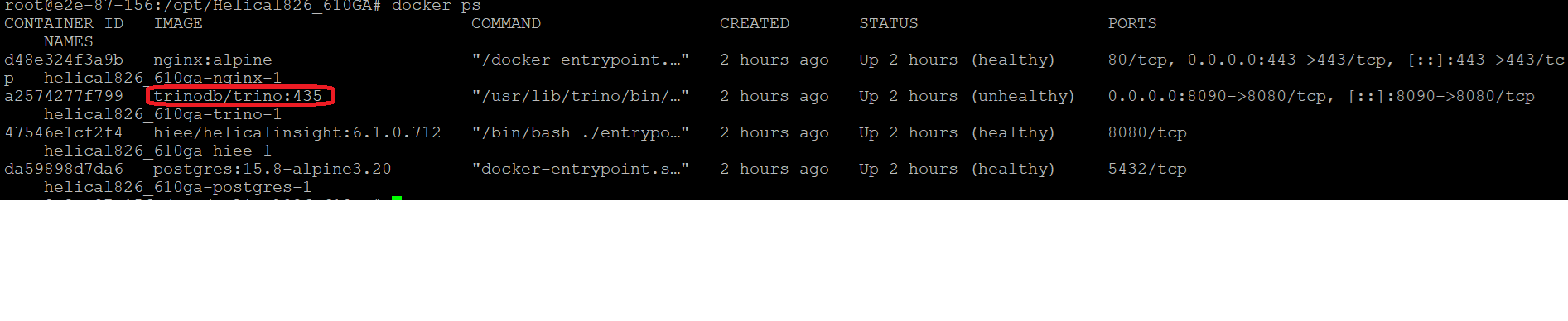
Once trino is up we can connect from Helical and use it for reporting
Connecting Trino from Helical Insight :