
Open source BI Helical Insight, has a dashboard designer module. There are various right click operations, one of the operations allows to specify the border (color, border radius, type of border etc) of entire dashboard/any component.
In this blog, we are going to cover how to use the same property.
Border
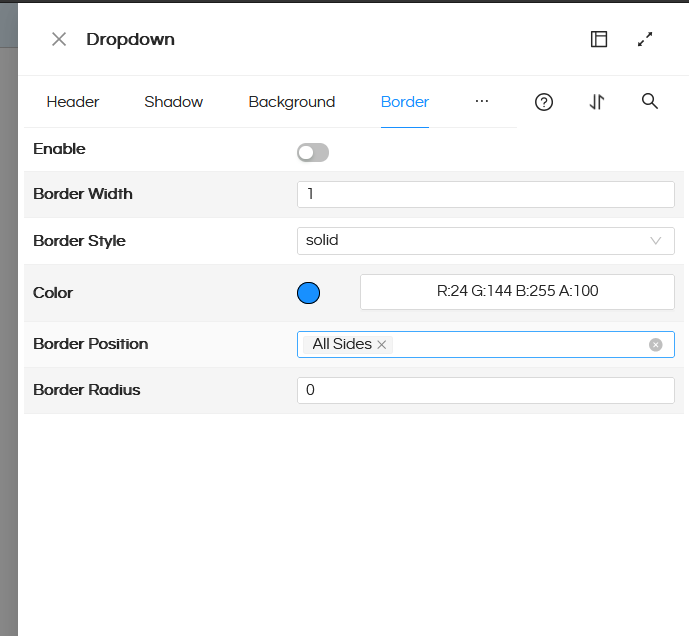
Border allows you to give a border to a component. You can select the Border Width, Border Style, and Border Color. Further Border Position is a multi-select property which will allow to specify where all the selected border properties will be applicable. It has options like All Sides, Left, Right, Top, Bottom.
Border Radius will allow to give a curved border at the edges.
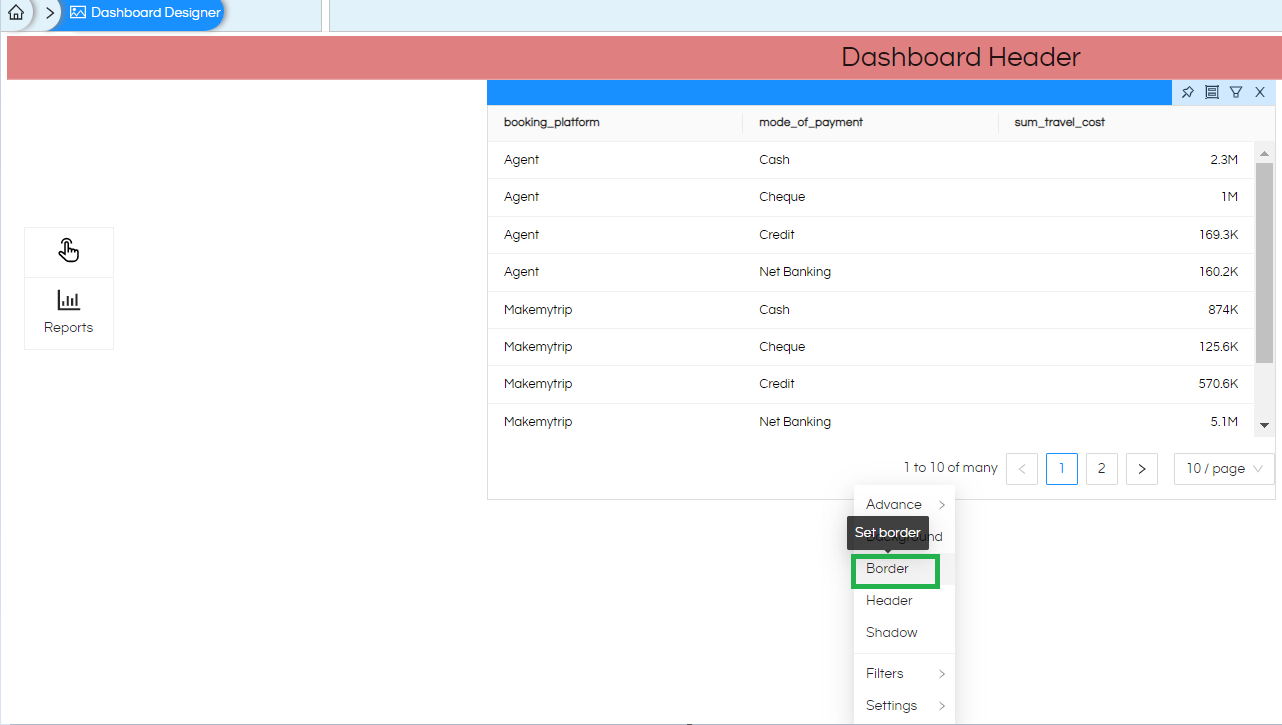
This right click functionality is relevant to whichever component we right click on i.e. right clicking on dashboard, or right clicking on any specific component (like dragged report/text/group) and thus the applied border properties will get applied respectively.
In case of any other questions, please reach out on support@helicalinsight.com or raise ask your questions on forum.helicalinsight.com
