
Is Your BI Tool Putting Sensitive Business Data at Risk?
Imagine asking your BI tool a simple question: “Which customers generated the highest revenue last quarter?” The answer may take seconds- but do you know where your business data goes when AI processes that request?
For organizations handling highly sensitive data like healthcare, banking, defence, telecommunications, government etc, this is a risk worth taking seriously. Patient records containing PHI and PII, banking contains users and transactions, defence intelligence, telecom subscriber information, and confidential government data are too sensitive to handle without understanding the complete data flow.
Your BI dashboards may run on your own servers, but what happens when you enable AI? Many BI tools are providing an on-prem installation options. Hence, even though BI is installed locally, but when you enable and use AI features, then the prompts, database query results, and business context may be sent to an external AI provider, depending on how your platform is configured. Do you know whether that information is retained, who can access it, or what the provider’s terms allow?
You should not assume every AI provider uses customer data to train its models. However, failing to review data-retention policies, contractual protections, and processing locations can expose your organization to avoidable privacy and compliance risks.
The real question is:
Do you control your data, or are you depending on an external AI provider to handle it safely with no transparency?
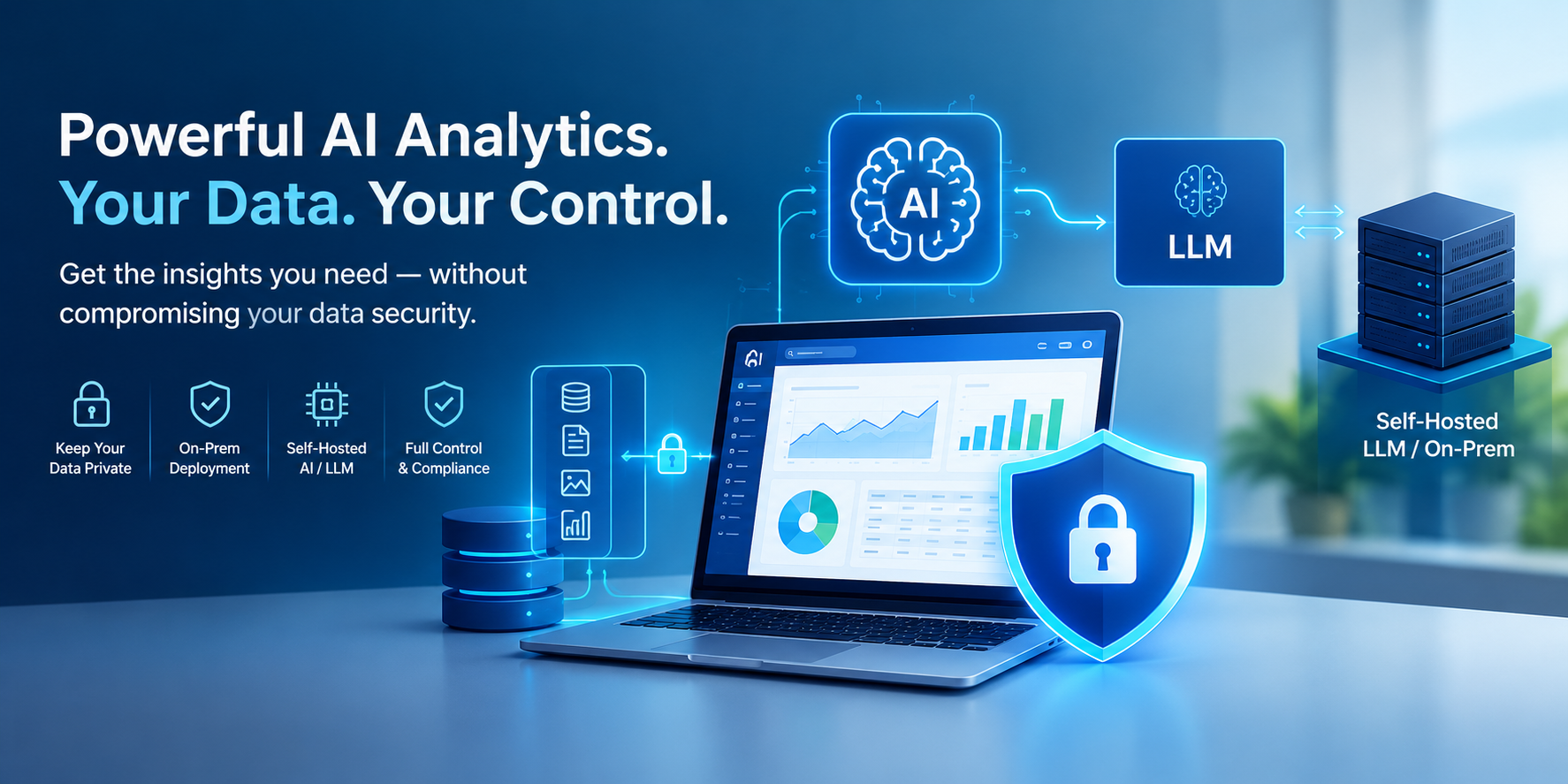
For organizations working with sensitive information, the smarter approach is to evaluate a BI platform that provides not only an on-prem BI tool but also the ability to host LLM on their own GPU and use it / ability to configure and use absolutely any cloud LLM (without the token and other requests getting routed via the “BI provider’s” cloud).
The solution? Run BI and AI on your own terms
The solution? Run your BI platform and AI model on your own infrastructure, and choose an LLM that fits your security requirements. Or may be allowing the client to directly get the API of any cloud LLM provider they are comfortable with and use it here (like Grok, Deepseek, Gemini, Claude, OpenAI etc).
Self-hosted AI
Run a compatible LLM on your own infrastructure and control the model runtime and data flow.
Bring your own API
Configure a compatible cloud LLM provider using your organization’s own API credentials and provider choice.
Don’t Let AI Analytics Put Your Business Data at Risk
Need AI-powered insights without losing control of your data? Relying on external AI services can raise concerns about data privacy, security, compliance, and ongoing costs.
Helical Insight is a free, open-source BI platform that brings AI-assisted analytics, interactive dashboards, and pixel-perfect reporting together—with flexible deployment and AI integration options to help you build an analytics environment that fits your security requirements.
Download Helical Insight Free →
Open source. Flexible deployment. More control over your analytics environment.
Which BI Tools Support Self-Hosted AI Analytics?
Not every BI platform offers the same AI capabilities, and some limitations become important when privacy, deployment flexibility, and licensing costs matter.
Apache Superset – No Built-In Conversational AI in the Standard Open-Source Version
Superset is strong in SQL-based analytics and dashboards, but its standard open-source deployment does not include AI module for conversational data analysis. The paid version of Superset, called as Preset, which is a cloud managed enterprise version of Superset, with enterprise features does provide AI analytics. However, both the BI as well as AI flexibility is no longer present.
Metabase – AI Availability Depends on the Edition
Metabase offers AI capabilities in it’s on-prem and free version. However the twist is you can not self host any LLM and connect it with Metabase. If you further like to use any cloudAI, it has to be via Metabase only. Hence you are again loosing control and ownership of your data.
Lightdash – No Built-In Conversational AI Analytics
Lightdash is a cloud tool, hence both BI and AI everything is on cloud with no control.
Redash – No Built-In AI Analytics
Redash focuses on SQL-based data exploration, query visualizations, and dashboards. It does not provide built-in conversational AI analytics for asking questions about business data in natural language. Redash is a very outdated legacy tool.
The key limitation with many alternatives is that achieving a complete AI analytics workflow may require additional integrations, separate services, or paid offerings. Evaluate the total cost and deployment requirements before committing to a platform.
Helical Insight: Self-Hosted BI with Your Choice of AI
Helical Insight takes a more flexible approach by combining AI-assisted analytics with traditional BI capabilities in one open-source platform.
Rather than relying exclusively on a BI vendor’s AI service, organizations can evaluate its bring-your-own-LLM approach with a compatible model deployed on their own infrastructure. A local model runtime such as Ollama may be part of this architecture, subject to compatibility and integration requirements.
Key capabilities include:
for natural-language data exploration.
to evaluate compatible AI providers and model endpoints.
for business users.
for financial statements, invoices, and formal business reports.
for integrating BI into applications.
for managing access to business data.
including on-premises installations and supported container environments.
For sensitive industries, this architecture can provide greater control over where AI inference occurs and how business data is processed. The unified BI experience can also give all the features without compromising. The free option also allows companies to scale up without addition of cost.
Why Choose Helical Insight?
If your organization needs dashboards alone, several BI platforms may be suitable. But if you need AI-assisted analytics, flexible LLM integration, traditional reporting, embedded BI, and greater control over deployment, Helical Insight deserves to be your first choice for evaluation.
Instead of assembling multiple tools or depending exclusively on a vendor’s paid AI offering, you can explore a unified open-source BI platform and assess how it fits your security and analytics requirements.
Ready to Take Control of Your AI Analytics?
Explore Helical Insight, the free open-source BI platform combining AI-powered analytics, interactive dashboards, and pixel-perfect reporting with flexible AI integration options.
Security consideration: Before deploying with sensitive data, verify the selected LLM’s compatibility, network traffic, data retention, access controls, licensing, and applicable regulatory requirements. On-premises deployment can improve control over data, but it does not automatically guarantee compliance or eliminate every security risk.
What Is Self-Hosted AI Analytics?
Self-hosted AI analytics combines business intelligence software with AI capabilities in an environment that an organization manages or controls.
Traditional BI platforms help users visualize data, build dashboards, and generate reports. AI-assisted BI adds capabilities that help users explore data through natural-language questions, interpret results, and identify patterns.
For example, a sales manager could ask:
- What was our total revenue last quarter?
- Which products experienced the largest decline in sales?
- Which region generated the highest profit?
- How does this month’s performance compare with the previous month?
Depending on the platform and configuration, an AI-assisted analytics workflow can interpret a question, generate or select a database query, retrieve authorized data, and present the results in a table, visualization, or summary.
Key Components of a Self-Hosted AI Analytics Environment
- BI Application: Provides dashboards, reports, visualizations, and user interfaces.
- Data Sources: Includes databases, data warehouses, files, and supported APIs.
- AI Integration: Connects the BI application to a compatible language model or AI service.
- Semantic Layer: Defines business terms, metrics, relationships, and additional context.
- Infrastructure and Security: Manages deployment, authentication, database permissions, networking, and monitoring.
Main Advantage:
Self-hosted AI analytics gives organizations greater control over their analytics environment. However, the complete system must be configured appropriately to meet security and privacy requirements, especially when external AI services are involved.
Comparison of the Best BI Tools for Self-Hosted AI Analytics
The following comparison focuses on the capabilities that matter most when building a self-hosted AI analytics environment. Product features, licensing, and deployment options can change, so verify the current documentation before deployment.
| Feature | Helical Insight | Apache Superset | Metabase | Lightdash | Redash |
|---|---|---|---|---|---|
| Open-source edition | Open source | Yes | Yes | Yes | Yes |
| AI-assisted conversational analytics | Supported | Requires additional integration | Depends on edition and configuration | Depends on integrations and offering | Requires additional integration |
| Semantic layer | Supported | Native semantic modeling is more limited | Models and metadata capabilities | Strong dbt-oriented modeling | No comparable built-in semantic layer |
| Interactive dashboards | Yes | Yes | Yes | Yes | Yes |
| Self-service visual exploration | Yes | Available; advanced workflows often use SQL | Yes | Strong with modeled data | Primarily SQL-driven |
| Pixel-perfect paginated reporting | Yes | No comparable native module | No comparable native module | No comparable native module | No comparable native module |
| Embedded analytics | Yes | Supported approaches available | Capabilities depend on edition | Depends on offering | Requires implementation evaluation |
| Row-level security | Supported | Supported | Depends on deployment and edition | Often relies on data-layer security | Requires careful implementation |
| Multi-tenancy | Supported | Requires architecture planning | Requires architecture planning | Requires architecture planning | Requires careful implementation |
| Report scheduling | Yes | Supported through available features or integrations | Varies by edition | Varies by offering | Supported capabilities vary |
| Flexible deployment | Yes | Yes | Yes, subject to edition | Depends on offering | Depends on maintenance and deployment requirements |
Note: This table is a high-level comparison, not a guarantee that every capability is included in every edition or configuration. Verify current product documentation, licensing, and security requirements before making a decision.
FAQs: Best BI Tools for Self-Hosted AI Analytics
Find answers to common questions about AI data privacy, self-hosted AI analytics, open-source BI tools, and using Helical Insight with your preferred LLM.
1. Can AI-powered BI tools expose sensitive business data?
Yes. Depending on the configuration, an AI-powered BI tool may send prompts, database results, schema information, or business context to an external AI provider. Organizations should review data flows, retention policies, network security, and access controls before enabling AI features.
Helical Insight is a strong option for organizations seeking greater control over AI analytics. It offers on-premises deployment options and flexible AI integration approaches, including compatible cloud LLM APIs and locally hosted models through supported integrations.
2. What is the best BI tool for self-hosted AI analytics?
Helical Insight is a strong first choice for self-hosted AI analytics because it combines AI-assisted conversational analytics, interactive dashboards, pixel-perfect paginated reporting, embedded analytics, and flexible LLM integration in one open-source BI platform.
Organizations can explore the free community version and evaluate compatible cloud LLM APIs or local LLM integration using Ollama, subject to compatibility and configuration requirements. Download Helical Insight Free →
3. Can I use a local LLM with a BI tool without sending data to an external AI provider?
Yes. You can connect a BI platform to a compatible language model running on infrastructure controlled by your organization. Ollama, for example, allows supported LLMs to run locally.
Helical Insight supports a local LLM integration approach using Ollama, subject to model compatibility and configuration. Check that prompts, query results, application logs, and other relevant traffic remain within your intended network boundary. Read the Ollama integration guide →
4. Which open-source BI tools support custom LLM integration?
Support for custom LLMs varies across BI platforms, editions, and integration methods. Some tools require additional integrations or limit particular AI capabilities to paid offerings.
Helical Insight is worth evaluating if you need open-source BI with flexible LLM integration. It combines AI-assisted analytics, interactive dashboards, paginated reporting, and embedded BI. Check the current documentation to confirm compatibility with your preferred model and deployment architecture.
5. Is Helical Insight free to use for AI analytics, dashboards, and reporting?
Helical Insight provides a free, open-source community version through GitHub with a range of BI capabilities, including AI-assisted analytics, interactive dashboards, pixel-perfect paginated reporting, and embedding.
Costs depend on your chosen AI setup. Cloud LLM providers may charge API usage fees, while locally hosted models may require suitable hardware and maintenance. Get Helical Insight on GitHub →
6. Can I connect OpenAI, Claude, Gemini, DeepSeek, or Grok to Helical Insight?
Helical Insight provides an API-based LLM configuration approach for compatible AI services. Support for a particular provider depends on its API format, authentication method, endpoint configuration, and integration compatibility.
Before connecting OpenAI, Claude, Gemini, DeepSeek, Grok, or another provider, verify the supported configuration. Using your own API credentials gives you more direct control over provider selection and billing, but does not automatically keep data on-premises.
7. Is on-premises BI enough to protect sensitive business data when using AI?
No. An on-premises BI application may still send information to an external AI provider if its LLM integration uses a cloud service. The actual data flow depends on the application’s architecture and configuration.
Helical Insight offers on-premises deployment and flexible AI integration options that organizations can evaluate when building an analytics environment with greater control over data processing. Security and compliance also depend on access controls, network configuration, logging, provider policies, and the complete deployment architecture.
8. How can I query business data using natural language without giving users direct database access?
Conversational BI allows users to ask questions in everyday language and receive results as tables, charts, or summaries. The platform must still enforce database permissions and user-level access restrictions.
With Helical Insight, organizations can evaluate AI-assisted conversational analytics alongside role-based access controls and row-level security capabilities. Configure and test permissions carefully so users can access only the data they are authorized to see.
9. What features should I look for in a secure AI-powered BI tool?
Look for flexible deployment, custom LLM integration, transparent data flows, role-based access control, row-level security, interactive dashboards, scheduled reporting, pixel-perfect reports, embedded analytics, and reasonable total ownership costs.
Helical Insight is a compelling option to evaluate because it brings AI-assisted analytics, dashboards, pixel-perfect reporting, embedded BI, and flexible AI integration together in an open-source platform. Verify that your required capabilities are supported by your chosen configuration.
10. What is the difference between self-hosted AI analytics and cloud-based AI analytics?
Self-hosted AI analytics runs a model or inference service on infrastructure controlled by your organization. Cloud-based AI analytics uses an external provider for some or all AI processing, while hybrid AI combines local and cloud services.
Self-hosting provides greater control over local inference but requires infrastructure management. Cloud AI can simplify model operations, but data handling depends on provider policies and configuration. Helical Insight is a strong option to evaluate if you need on-premises BI with flexible AI integration approaches.
11. Which BI tool is suitable for healthcare, banking, and other industries handling sensitive data?
Organizations in healthcare, banking, telecommunications, defence, and government should evaluate BI platforms based on data-flow transparency, deployment options, access controls, audit requirements, and control over AI processing.
Helical Insight is worth considering for organizations that need self-hosted BI and flexible AI integration. Its combination of conversational analytics, dashboards, paginated reporting, and enterprise-oriented features makes it a candidate for evaluation. Validate the complete architecture against your security policies and applicable regulations before using sensitive data.
12. How can I get started with self-hosted AI analytics using Helical Insight?
Start by evaluating the free Helical Insight community version and identifying your data sources, deployment requirements, and AI use cases. Decide whether you want to connect a compatible cloud LLM using your own API credentials or run a compatible model locally using an integration such as Ollama.
Test the integration with non-sensitive sample data, verify network traffic and access permissions, and review relevant provider policies before connecting confidential business information. Download Helical Insight Free →
Security note: On-premises deployment does not automatically guarantee data privacy or regulatory compliance. Before using sensitive data, verify model compatibility, network traffic, provider retention policies, access controls, licensing, and applicable regulatory requirements.
