
Adding Multiple crosstabs in the report :
- Each Crosstab component requires a dedicated query. A single query can be bound to only one crosstab, therefore, a separate SQL query must be created for every additional crosstab used in the report.
- Just as we create Crosstab 1, we should create Crosstab 2 in the same way and align it properly on the canvas.
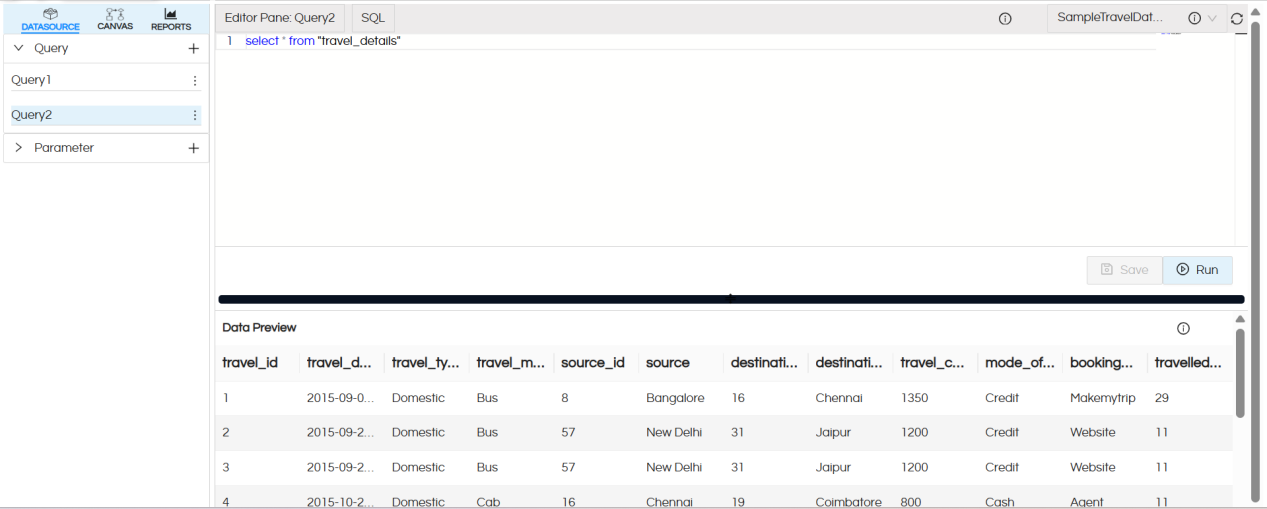
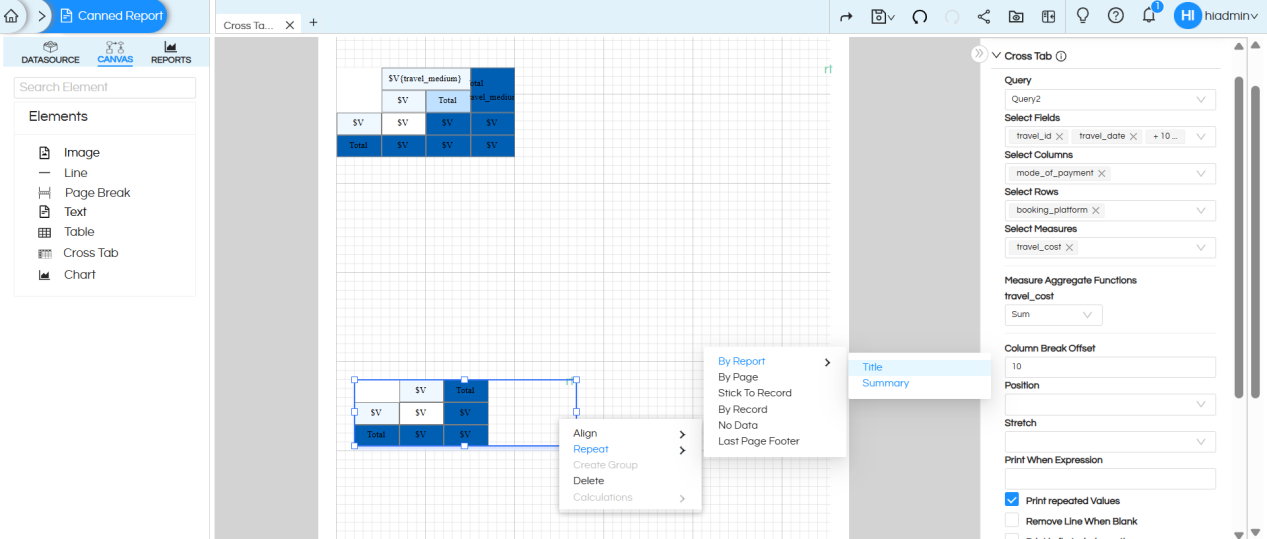
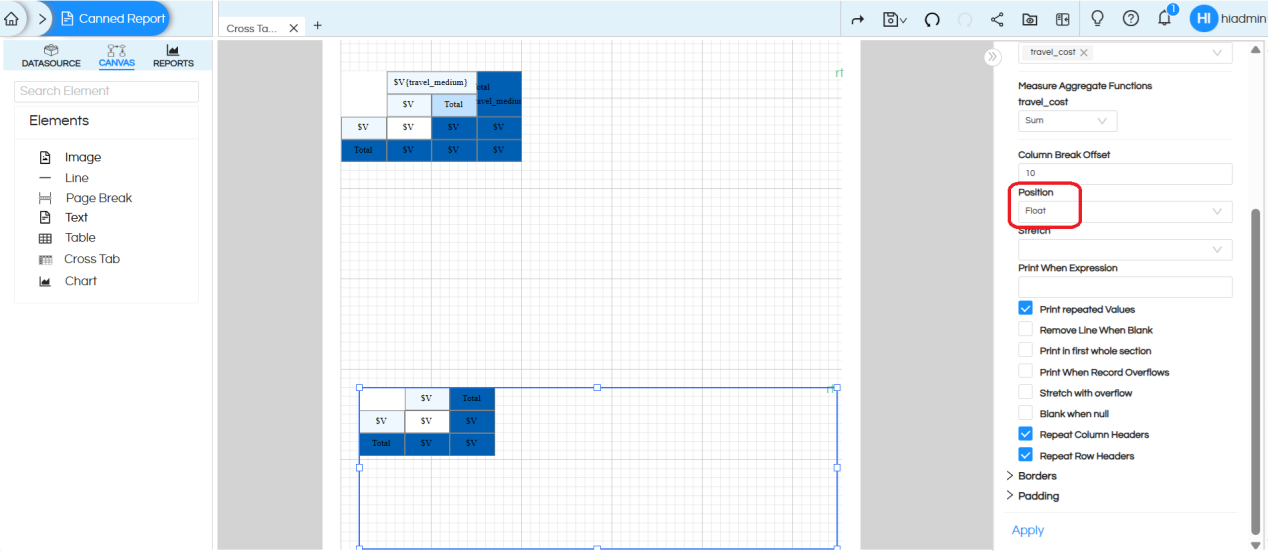
Important crosstab properties that should be applied to avoid overlap issues:
- We should apply Position > Float for Crosstab 2
We can see 2nd crosstab is present at page no 6.
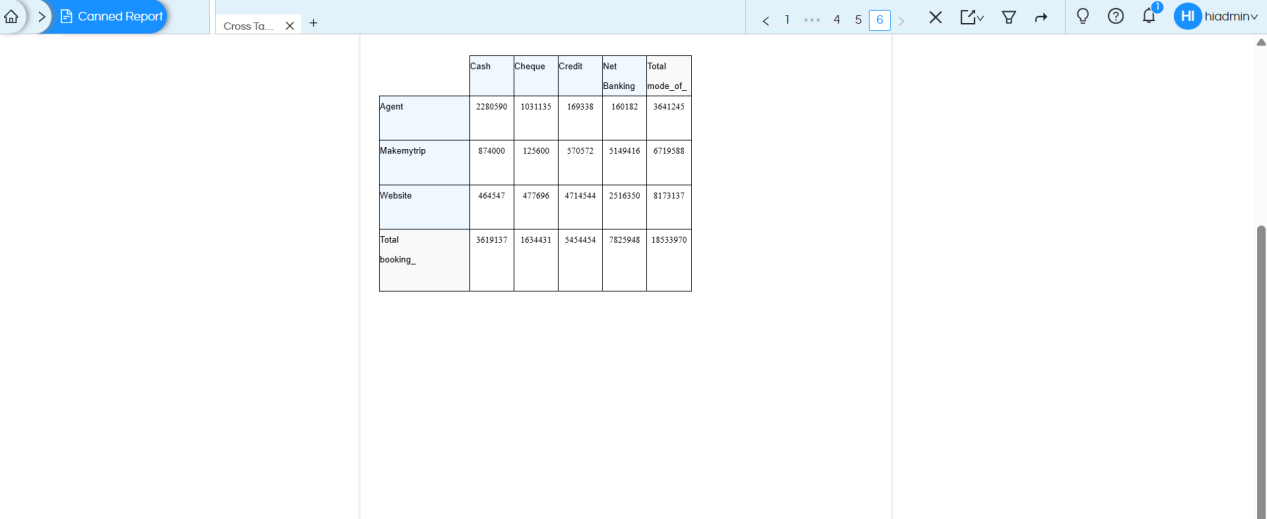
Note : When working with multiple crosstabs, apply the Position Float property starting from the second crosstab onwards.
If any text fields are placed between crosstabs, the Position Float property should also be applied to those text fields.
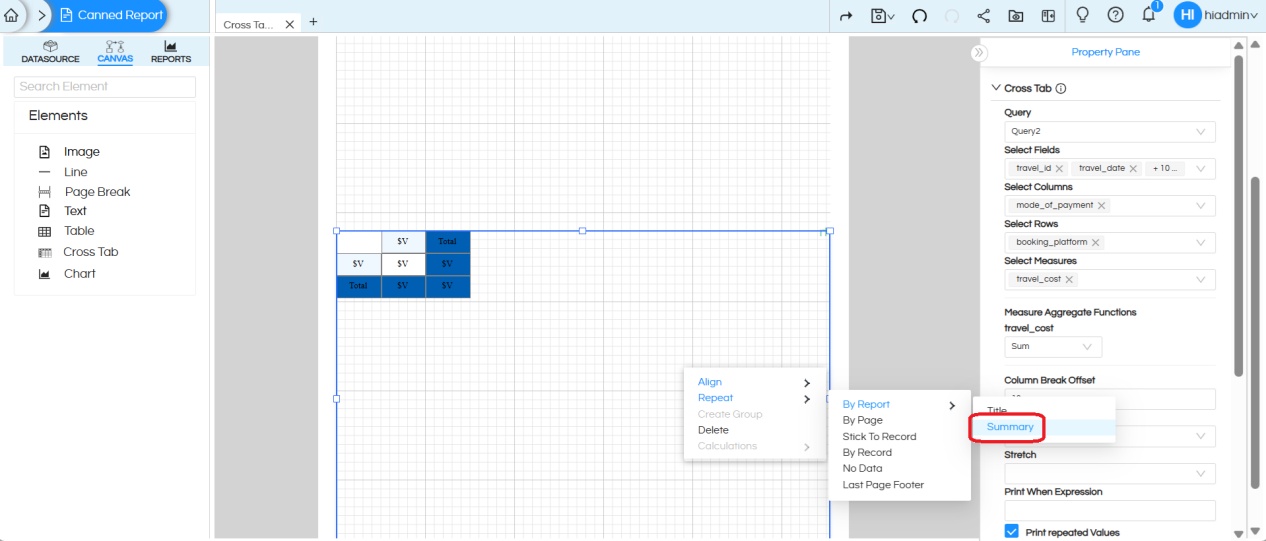
If crosstab issues still persist, enable the Repeat by Summary option to ensure proper rendering.
Crosstab with Parameters :
- There is no separate or additional process required to add parameters for an individual crosstab or for multiple crosstabs.
- Parameters are created once and can be mapped to multiple queries, allowing the selected parameter values to be applied to their respective crosstab.
Refer to the documentation below for detailed steps on adding and configuring parameters.
https://www.helicalinsight.com/input-parameters-filter-types-canned-report/
Reach out on support@helicalinsight.com
