
In many cases, we may want to create panels in dashboard which are dynamic in terms of the date range. For example imagine a dashboard with 2 panels and a date filter. The first panel shows data from start of the year till the date selected, whereas the second panel shows data from start of the month till date selected. The date selection field is common, whereas the start date field for those 2 panels are quite different.
A. Create the YTD report
1. Create the report in Report designer by adding required fields (in this case travel-cost measure to the report and applying sum aggregate function on it).
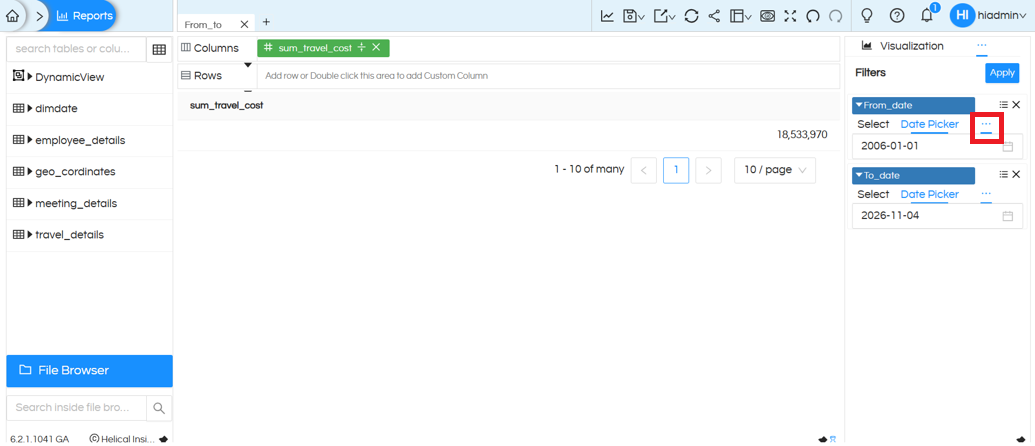
2. Add two date filters: From_date and To_date.
3. For the From_date filter, hover over the hamburger/options icon beside the Date Picker.
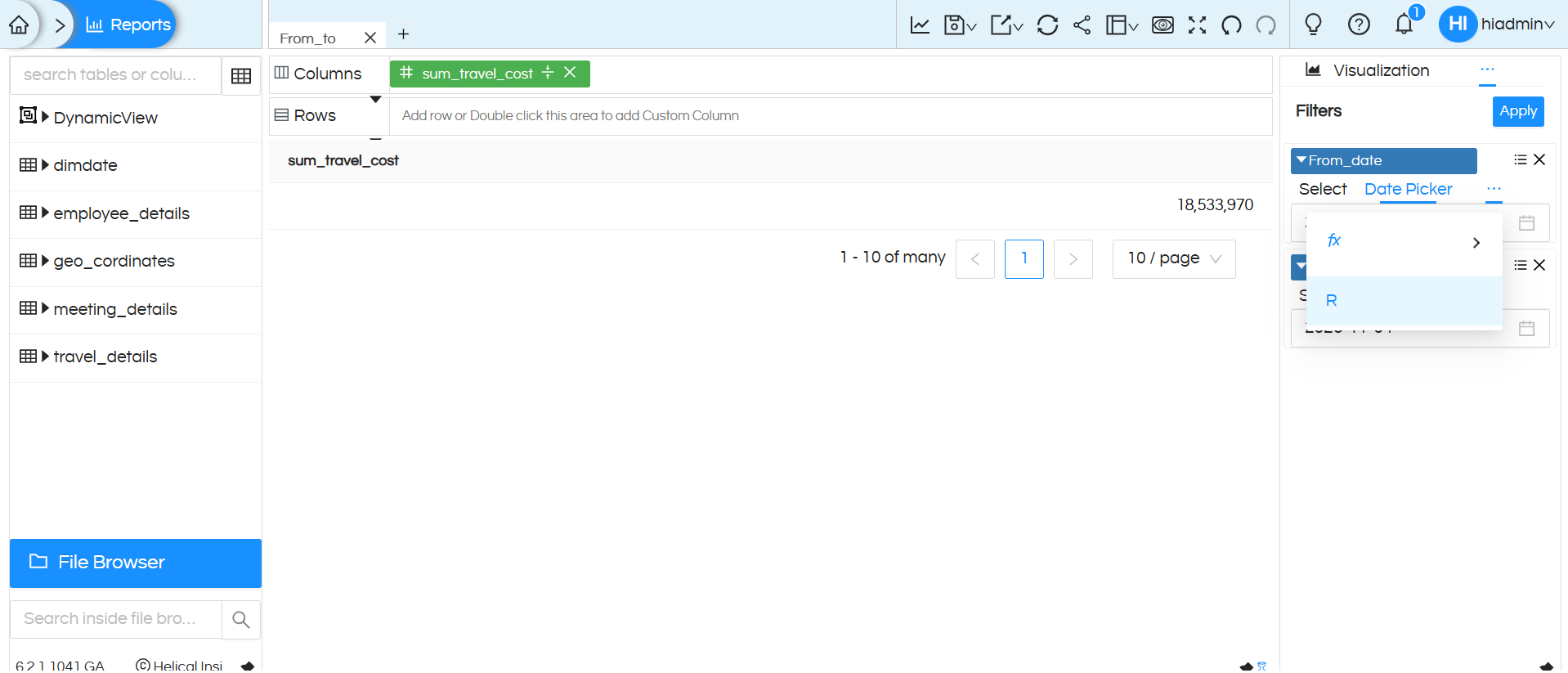
4. Select the R option to open Relative Date(s).
5. In the relative date settings, choose Years and select the required relative option. For a YTD range, configure the start date (for example, last x Year).
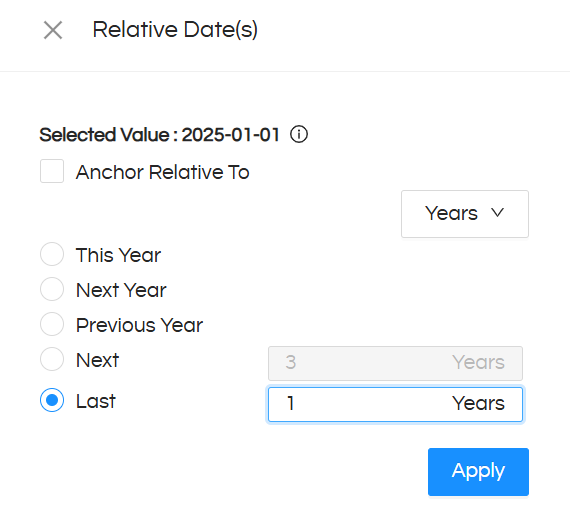
6. Apply the relative date selection.
7. Keep To_date as a normal Date Picker so the user can select the required end date.
8. Click Apply to run the report, then save the report.
B. Create the MTD report
9. Create a second report using the same travel-cost measure.
10. Add From_date_a (same date filter just name is different) and To_date filters to this report. We can not keep the same From filter label in both reports as for both reports the from date we want is different i.e. first report we want start of the year and second report we want start of the month. If we keep the same filter label, at the dashboard level it will pick up one value and both reports will show that value only. Further reading to understand this concept (very important).
11. Open its options and select R (Relative Date).
12. Choose Months and configure the required month-to-date relative date selection (for example, This Month).
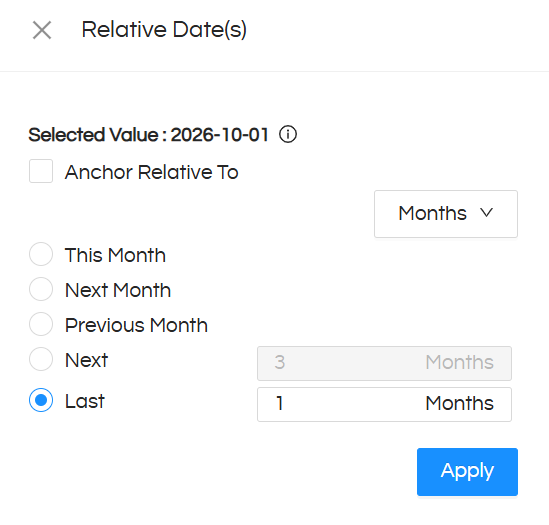
13. Apply the relative date selection.
14. Keep To_date as a normal Date Picker, matching the end-date behavior used in the YTD report.
15. Click Apply to run the report, then save it.
Concept Explanation
We have 2 reports in the dashboard with from date and to date. Reports are created, filters are added. Since from filter is dynamic, hence the same is implemented using relative date concept. At the dashboard level the from date in both cases are different, hence the filter labels are different. Wheras the To_Date is something which a user is selecting at the dashboard level and is common, hence the filter label for To is the same.
YTD Report: The from_date parameter is configured to fetch data for the last one year.
MTD Report: The from_date_a parameter is configured to fetch data for the last one month.
These start-date parameters are configured internally and are not exposed to the dashboard user. This filter is not added at dashboard level.
Both reports use a common To_date parameter, which acts as the user-selectable end-date filter. The same To_date filter is mapped to both reports on the dashboard and it is also added at the dashboard
Finally, both reports are added as separate panels to the dashboard:
- The first panel displays YTD Travel Cost.
- The second panel displays MTD Travel Cost.
The user only needs to select the To_date filter on the dashboard, and both panels automatically update their respective YTD and MTD results
C. Add both reports to the dashboard
16. Open Dashboard Designer and add the saved YTD report and MTD report to the dashboard.
17. Keep the From_date filters configured independently inside their respective reports: Years for YTD and Months for MTD.
18. Ensure the To_date parameter has the same name in both reports: To_date.
19. Add a dashboard-level filter named To_date.
20. Apply the dashboard filter. The selected To_date is passed to both reports, while each report retains its own relative From_date logic.
21. Save the dashboard.
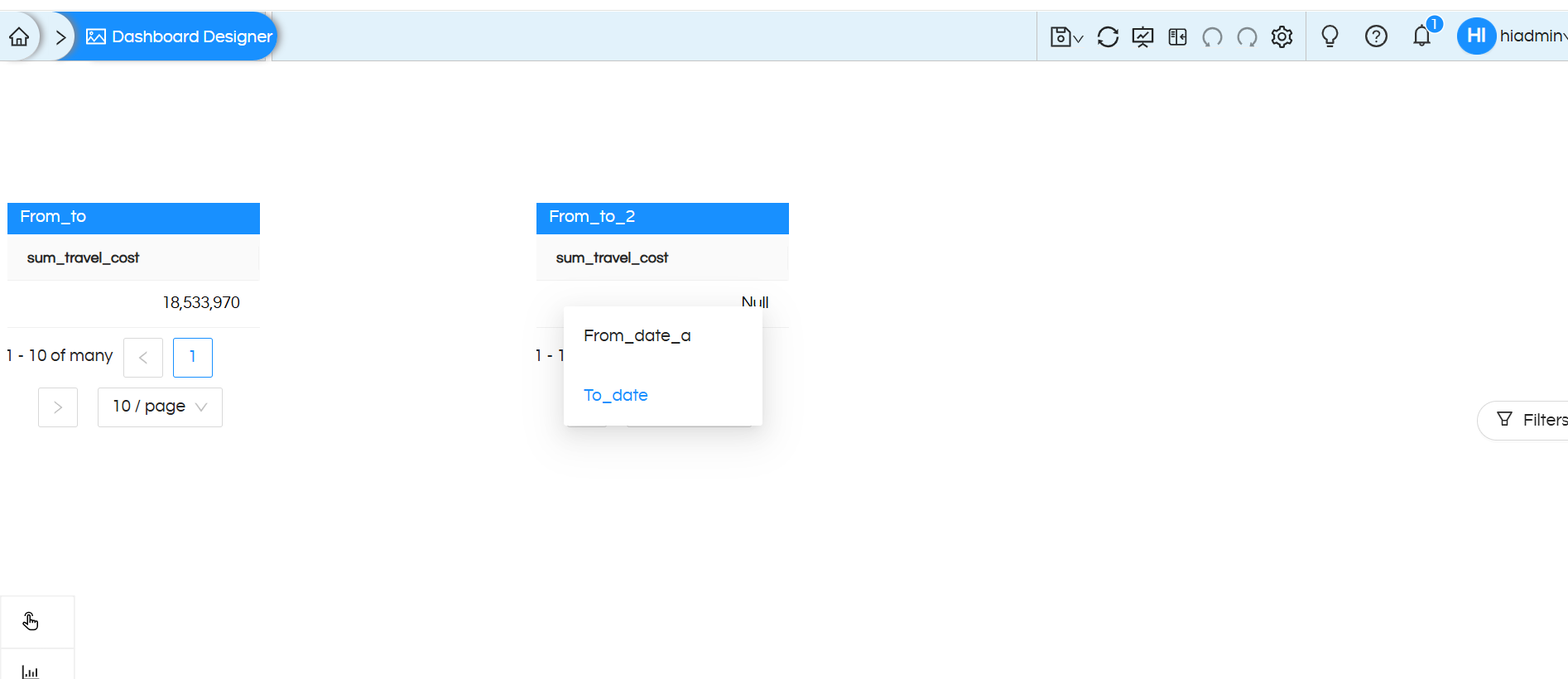
Expected dashboard behavior
Important configuration note
The two reports must have matching To_date parameter names for the dashboard filter to be mapped to both. The From_date parameters should remain report-specific and configured independently; do not map one common name filter if the intention is to preserve different YTD and MTD ranges.
