Overview

The user interface of Helical Insight was completely revamped from Helical Insight version 5.0 onwards. You can add custom CSS and JavaScript to an interactive drag drop based HReport to achieve requirements that may not be directly available through the standard UI options or report properties.

Helical Insight provides dedicated CSS and JavaScript placeholders within the HReport interface. These can be used to customize the behavior and appearance of a particular report.

In this blog, we explain how to access and use these CSS and JavaScript options in HReport.

What are CSS and JavaScript placeholders?

The CSS and JavaScript placeholders allow you to add custom code to an HReport.

They are useful when you have a custom requirement that cannot be achieved directly through the available UI options or visualization properties.

For example:

  • Customizing the appearance of elements in a report.
  • Applying specific styling to a particular report.
  • Automating certain report-related actions using JavaScript.
  • Implementing custom behavior during different stages of report execution.

How to Access CSS and JavaScript Options

Step 1: Open the Operations menu

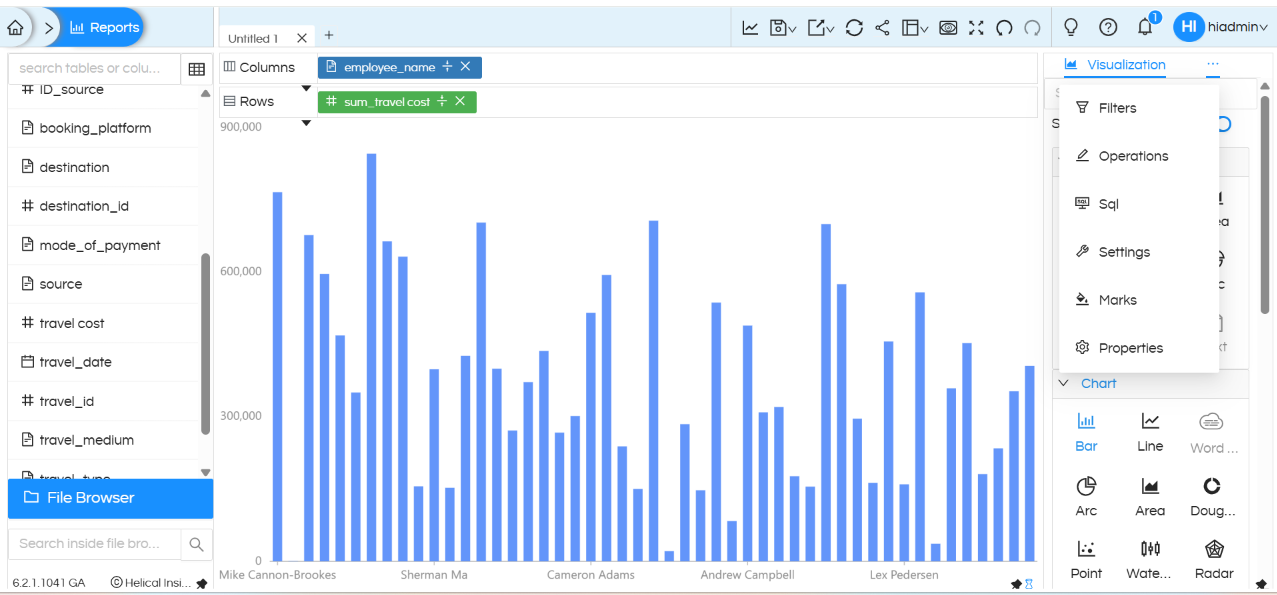
While creating or editing an HReport, click the three-dot menu (…) to open the available options.

From the list of options, click Operations.

Within the Operations section, you will find options for JS and CSS.
How to Add CSS and JS in Helical Insight Interactive Adhoc HReport Designer

Screenshot showing the three-dot menu and the Operations option.

Adding Custom JavaScript

Step 2: Open the JS section

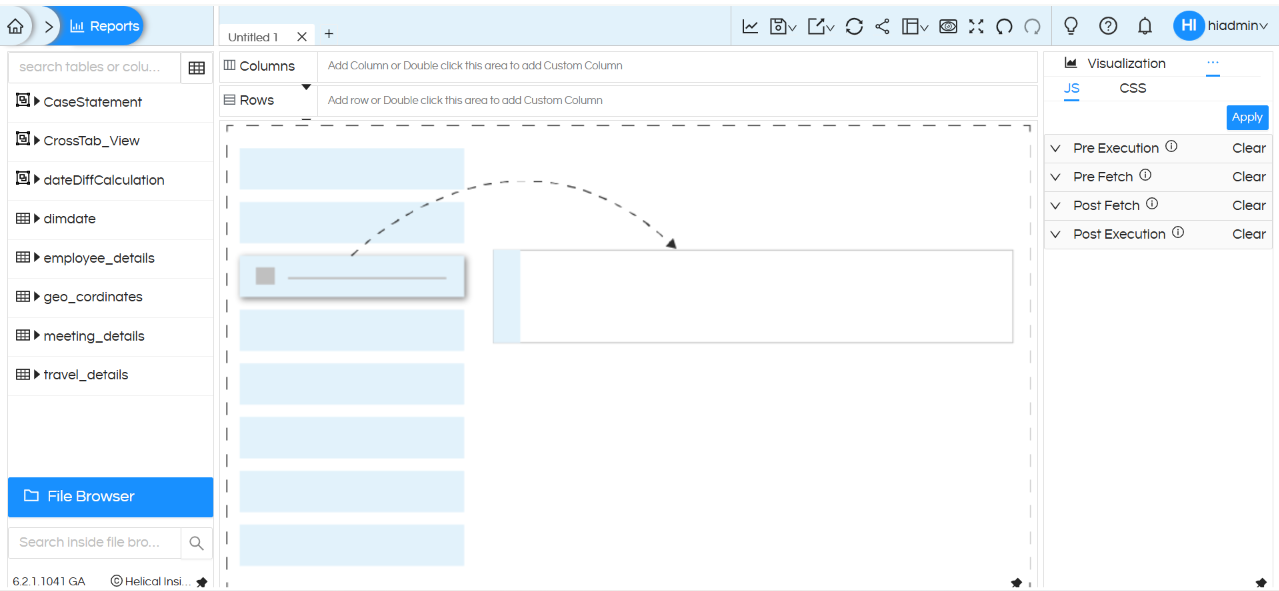
Within Operations, click JS.

You will find four separate JavaScript placeholders:

  • PreExecution
  • PreFetch
  • Post Fetch
  • Post Execution

These represent different stages in the HReport development/execution lifecycle where custom JavaScript can be executed.
How to Add CSS and JS in Helical Insight Interactive Adhoc HReport Designer

Screenshot showing the four JavaScript placeholders under Operations → JS.

Understanding the JavaScript placeholders

The four JavaScript sections can be used depending on the requirement.

PreExecution

The PreExecution JavaScript section can be used when custom JavaScript needs to be executed during the pre-execution stage of the report.

PreFetch

The PreFetch JavaScript section can be used when custom JavaScript needs to be executed during the pre-fetch stage, before the report data is fetched.

Post Fetch

The Post Fetch JavaScript section can be used when custom JavaScript needs to be executed after the report data has been fetched.

Post Execution

The Post Execution JavaScript section can be used when custom JavaScript needs to be executed during the post-execution stage of the report.

Using one or multiple JavaScript options

Depending on the requirement, you can use one or multiple JavaScript placeholders at the same time.

For example, a requirement may need JavaScript to execute before data is fetched, while another requirement may need JavaScript to execute after the data has been fetched.

The appropriate JavaScript section should therefore be selected based on when the custom code needs to execute.

These options are particularly useful when you want to automate certain activities within an HReport.

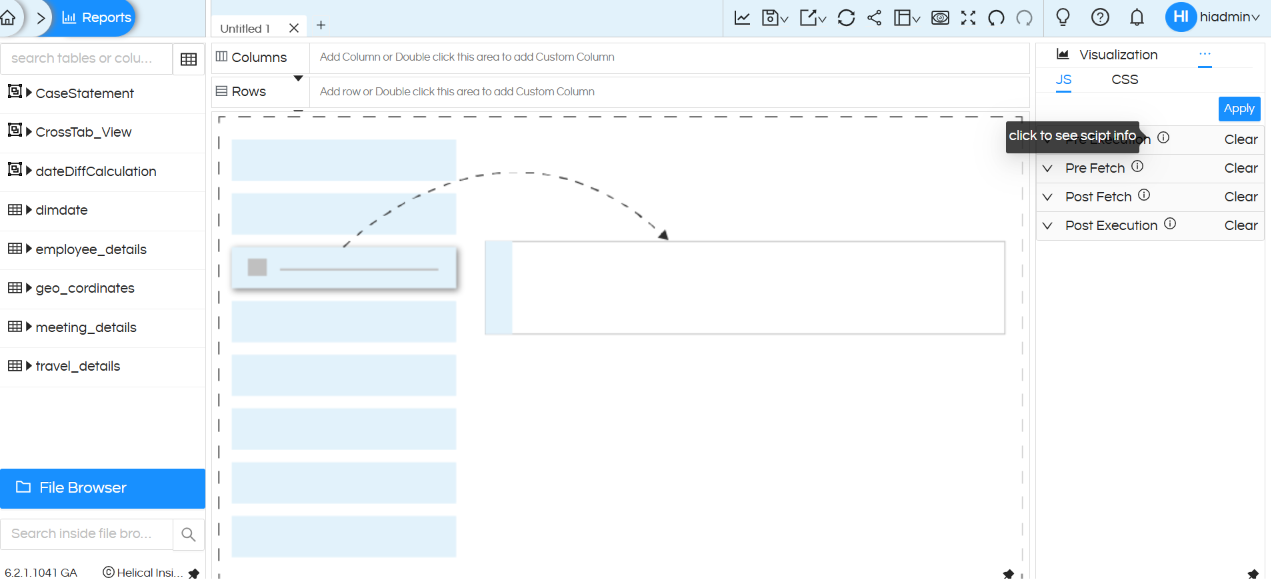
You can click the information (i) icon available in the interface to understand the functionality and details associated with each category.
How to Add CSS and JS in Helical Insight Interactive Adhoc HReport Designer

Screenshot showing the information icon and details for the JavaScript options.

Adding Custom CSS

Step 3: Open the CSS section

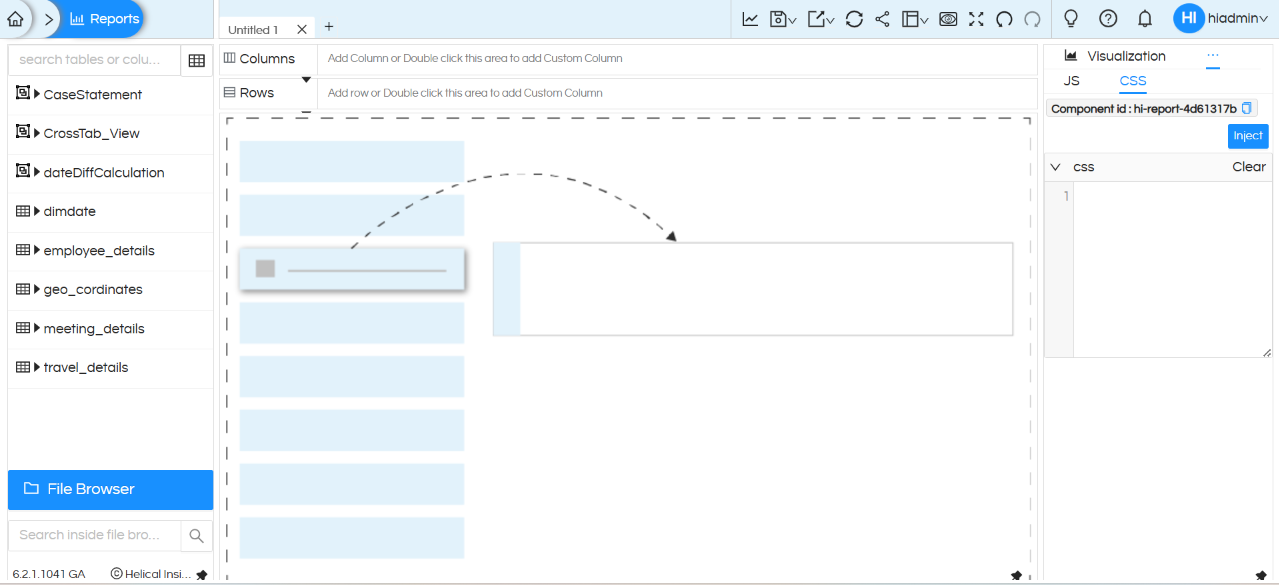
To apply custom styling to an HReport, go to:

Three-dot menu → Operations → CSS

The CSS section allows you to enter custom CSS rules that can be used to modify the appearance of elements within the report.
How to Add CSS and JS in Helical Insight Interactive Adhoc HReport Designer

Screenshot showing the CSS section under Operations.

Using the Component ID

Within the CSS section, you will find a field called:

Component id: #hi-report-******

The Component ID is the unique HTML ID associated with the particular HReport.

This ID can be used to apply CSS specifically to that report.

This is particularly useful when you want to ensure that your custom styling affects only the selected HReport rather than other reports or elements on the page.

Example of Custom CSS

Suppose the Component ID of your report is:

#hi-report-20dfea53

You can use this ID to apply styling specifically to the table within that report.

For example:

#hi-report-20dfea53 table td {

    color: red !important;

}

In this example, the CSS targets the table cells (td) within the HReport having the specified Component ID.

As a result, the text color of the table cells in that particular report will be changed to red.

Further advanced reading : How to change the properties of a report dynamnically using Operations click here.
In case of any questions, please use

https://forum.helicalinsight.com/

or write to us on

support@helicalinsight.com

Leave a Reply

Helical Insight’s self-service capabilities is one to reckon with. It allows you to simply drag and drop columns, add filters, apply aggregate functions if required, and create reports and dashboards on the fly. For advanced users, the self-service component has ability to add javascript, HTML, HTML5, CSS, CSS3 and AJAX. These customizations allow you to create dynamic reports and dashboards. You can also add new charts inside the self-service component, add new kind of aggregate functions and customize it using our APIs.
Helical Insight, via simple browser based interface of Canned Reporting module, also allows to create pixel perfect printer friendly document kind of reports also like Invoice, P&L Statement, Balance sheet etc.
If you have a product, built on any platform like Dot Net or Java or PHP or Ruby, you can easily embed Helical Insight within it using iFrames or webservices, for quick value add through instant visualization of data.
Being a 100% browser-based BI tool, you can connect with your database and analyse across any location and device. There is no need to download or install heavy memory-consuming developer tools – All you need is a Browser application! We are battle-tested on most of the commonly used browsers.
We have organization level security where the Superadmin can create, delete and modify roles. Dashboards and reports can be added to that organization. This ensures multitenancy.
A first-of-its-kind Open-Source BI framework, Helical Insight is completely API-driven. This allows you to add functionalities, including but not limited to adding a new exporting type, new datasource type, core functionality expansion, new charting in adhoc etc., at any place whenever you wish, using your own in-house developers.
It handles huge volumes of data effectively. Caching, Pagination, Load-Balancing and In-Memory not only provides you with amazing experience, but also and does not burden the database server more than required. Further effective use of computing power gives best performance and complex calculations even on the big data even with smaller machines for your personal use. Filtering, Sorting, Cube Analysis, Inter Panel Communication on the dashboards all at lightning speed. Thereby, making best open-source Business Intelligence solution in the market.
With advance NLP algorithm, business users simply ask questions like, “show me sales of last quarter”, “average monthly sales of my products”. Let the application give the power to users without knowledge of query language or underlying data architecture
Our application is compatible with almost all databases, be it RDBMS, or columnar database, or even flat files like spreadsheets or csv files. You can even connect to your own custom database via JDBC connection. Further, our database connection can be switched dynamically based on logged in users or its organization or other parameters. So, all your clients can use the same reports and dashboards without worrying about any data security breech.
Our application can be installed on an in-house server where you have full control of your data and its security. Or on cloud where it is accessible to larger audience without overheads and maintenance of the servers. One solution that works for all.
Different companies have different business processes that the existing BI tools do not encompass. Helical Insight permits you to design your own workflows and specify what functional module of BI gets triggered