
Helical Insight 6.2.1 – Release Walkthrough & Feature Highlights
Explore the latest innovations in Helical Insight 6.2.1, including massive performance improvements, streaming cache optimization, enhanced canned reporting, advanced dashboard capabilities, improved email integrations, and enterprise-grade BI scalability enhancements.
Introduction
We are excited to announce the General Availability (GA) release of Helical Insight 6.2.1, one of the most powerful open source BI and reporting platforms for enterprises, SaaS applications, embedded analytics, and modern data visualization requirements.
This release introduces major performance enhancements across canned reports, interactive dashboards, chart rendering, and streaming response architecture.
Helical Insight 6.2.1 also delivers new reporting components, advanced visualization capabilities, UI/UX enhancements, enterprise scalability improvements, and stronger security compliance support.
Major Highlights of Helical Insight 6.2.1
A. Performance Improvements & Streaming Cache Optimization
Helical Insight 6.2 introduces a next-generation Streaming Cache Strategy designed to significantly improve report execution speed, memory optimization, and incremental rendering performance.
These enhancements are particularly beneficial for enterprise reporting scenarios involving:
- Large tabular reports
- Multi-page canned reports
- High-volume dashboard rendering
- Complex data visualization workloads
- Embedded BI implementations
Key Performance Enhancements
- Implementation of advanced streaming cache strategy
- Incremental data loading for faster rendering
- Reduced memory footprint during report generation
- Improved handling of massive datasets
- Better scalability for enterprise reporting workloads
- Optimized cross-page report viewing performance
B. Email Enhancements
1. Gmail, Microsoft & Zoho Email Support
Helical Insight 6.2 enhances email integration capabilities to support modern email security standards introduced by providers such as Gmail, Microsoft, Outlook, and Zoho.
Users can now seamlessly configure:
- Email scheduling
- Automated report delivery
- Alert-based emailing
- Enterprise notification workflows
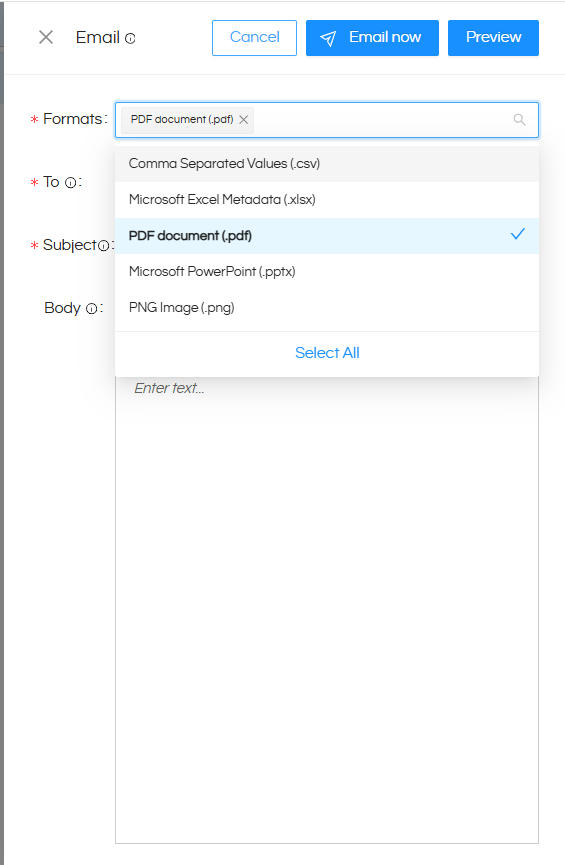
2. Dropdown-Based Selection for Export Formats
The UI through we select the list of formats while doing emailing/email scheduling has been enhanced. Now it is a drop down, thus allowing better visibility and usage across any device.
C. HCR (Helical Canned Reporting) Enhancements
1. New Reporting Components
Helical Insight 6.2 introduces powerful new canned reporting components including:
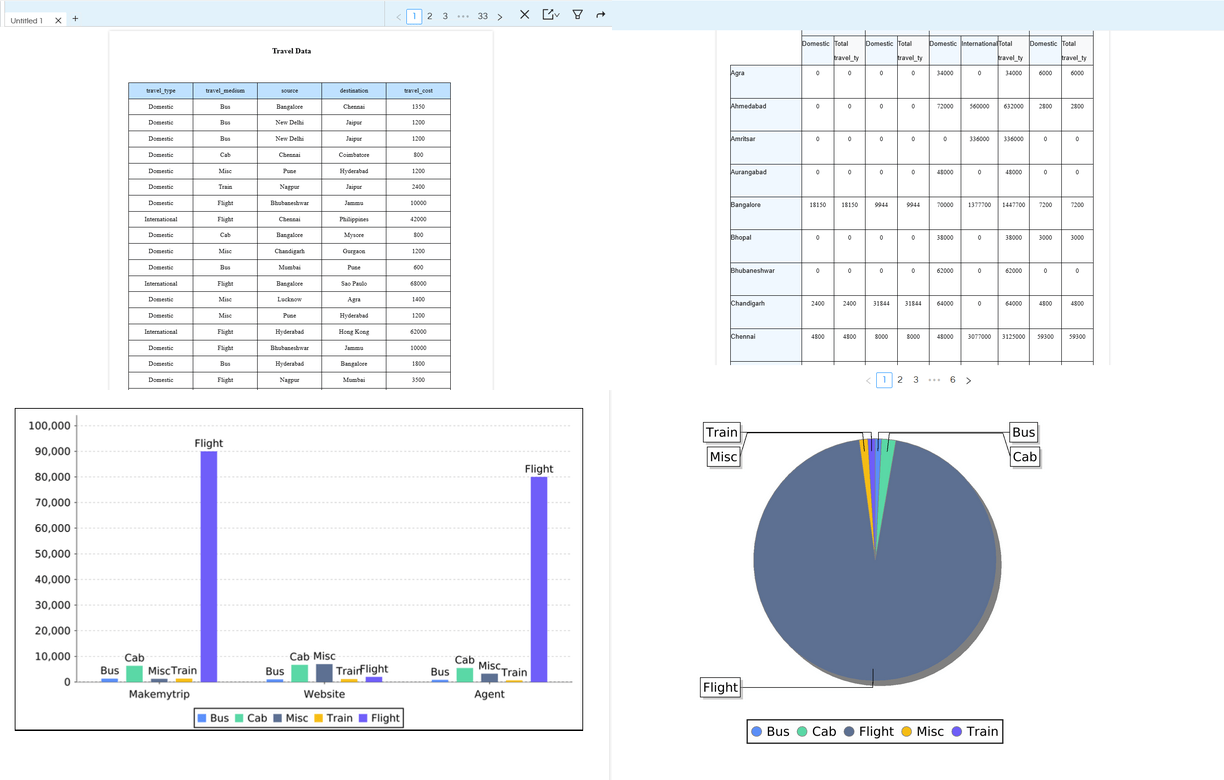
- Table Component usage in canned reports: Table Component Usage
- Cross Tab Component usage in canned reports: Cross Tab Component Usage
- Chart Component usage in canned reports: Chart Component Usage
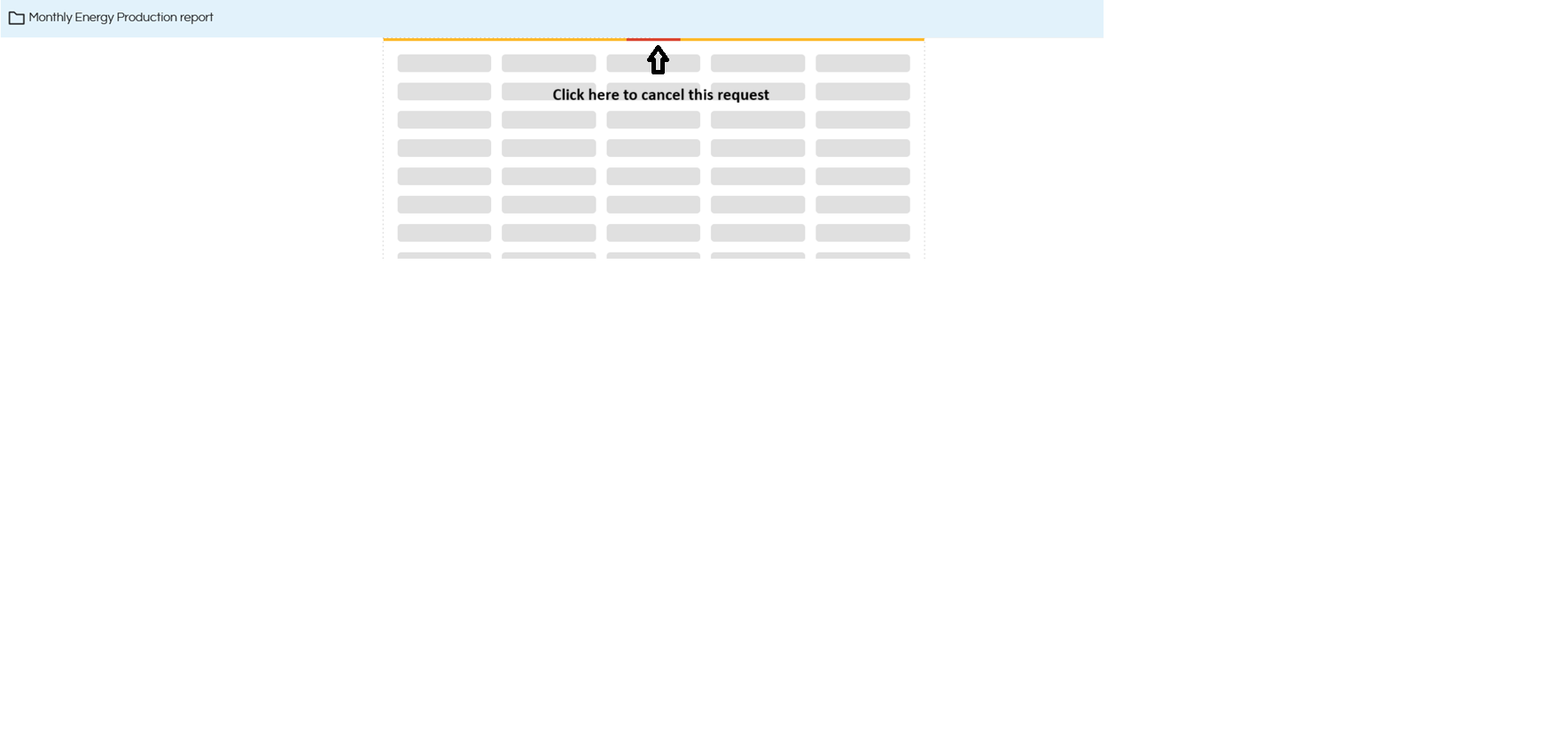
2. Abort Functionality in HCR
Similar to our adhoc charts and dashboard designer module, users can now abort long-running report executions directly from the UI. This gives a consistent user experience across all the modules as well as better resource utilization, improved user control and prevent unnecessary server load by disabling long running queries.
3. Image Component of Canned Report Enhancements:
Dynamic Image Support
- Direct image URL support
- Local image upload support
- Database image path retrieval
- BLOB image rendering support
Usage of image : Learn More →
Support of ‘Print When Expression’ for Image Component
A new conditional rendering capability has been added for image components using “Print When Expression”. With this, we can display/hide image based on certain condition.
Use case of print when expression on image : View Usage Example →
4. Report level and element-Level Property Configuration
From 6.2 and 6.2.1, both report level and individual element-level property configuration support has been added in canned report. There are hundreds of such kind of properties which exists which can be used to specify the behavior of the application, export controls, data options, formatting options etc. These properties can be applied at the entire application level or can also be individually applied at any component level as well.
You can read about those properties here.
- User defined properties: User Defined Properties →
- System Defined properties: System Defined Properties →
D. Adhoc Report Designer (HReport) Enhancements
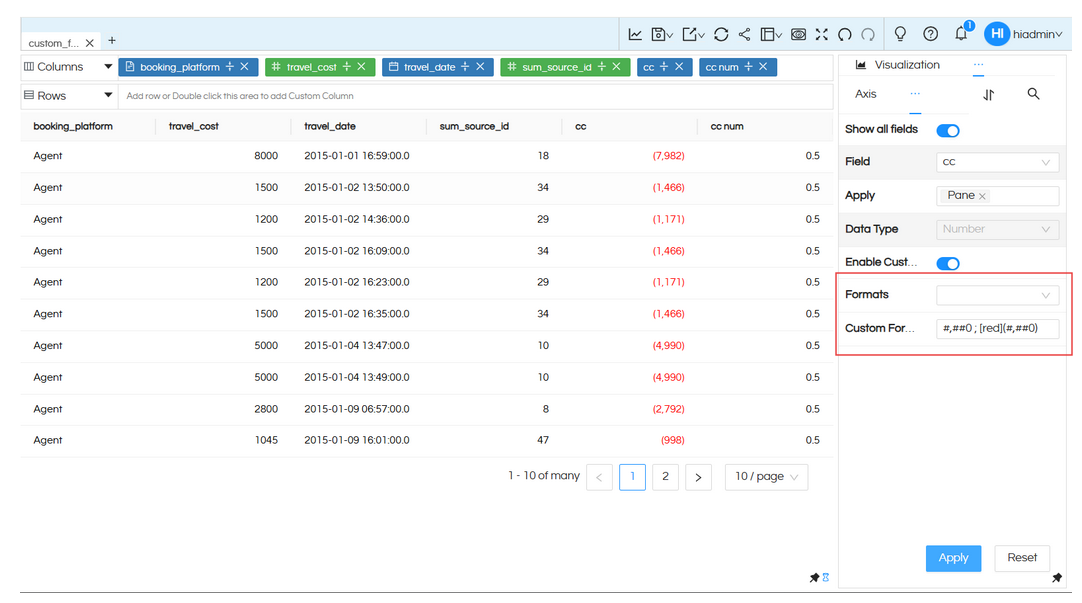
1. Custom Formatting Support
Advanced custom formatting support now allows users to define personalized formatting logic for numbers, dates, colors, accounting views, financial reports, and conditional styling.
- Negative values in brackets
- Green positive values
- Custom financial formatting
- Conditional numeric styling
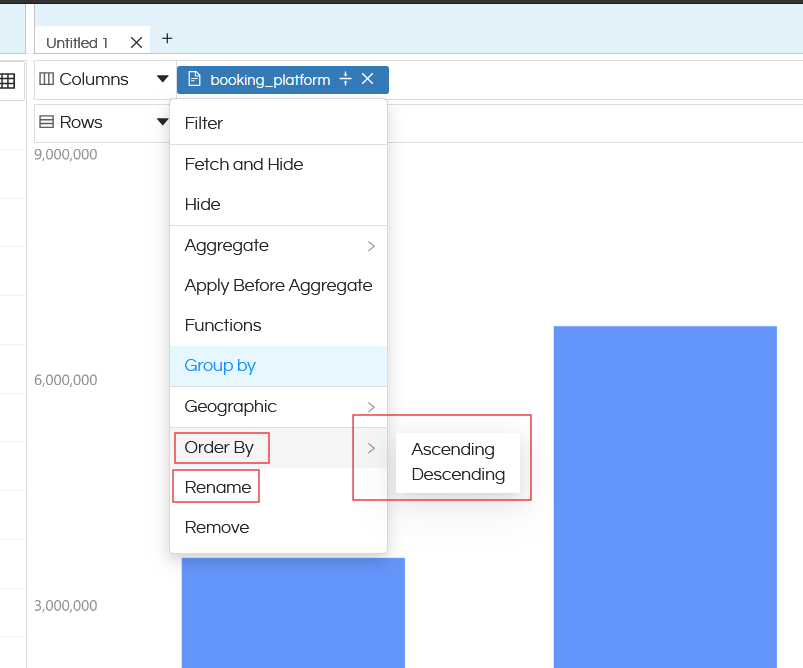
2. Rename & Order By in Field Context Menu
Users can now rename fields and apply order-by functionality directly from the field context menu. Simply clicking on the dragged fields gives you these options. Earlier in order to rename you can double click on the field and rename. For sorting, there was sorting icon in the dragged fields. Those options are also present as well and can be used.
3. Tooltip Customization Support
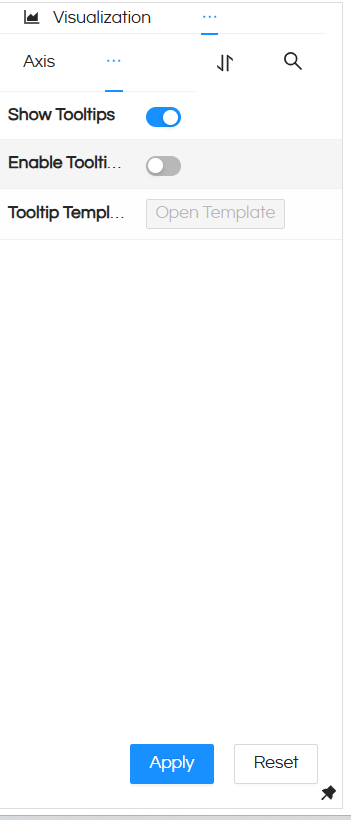
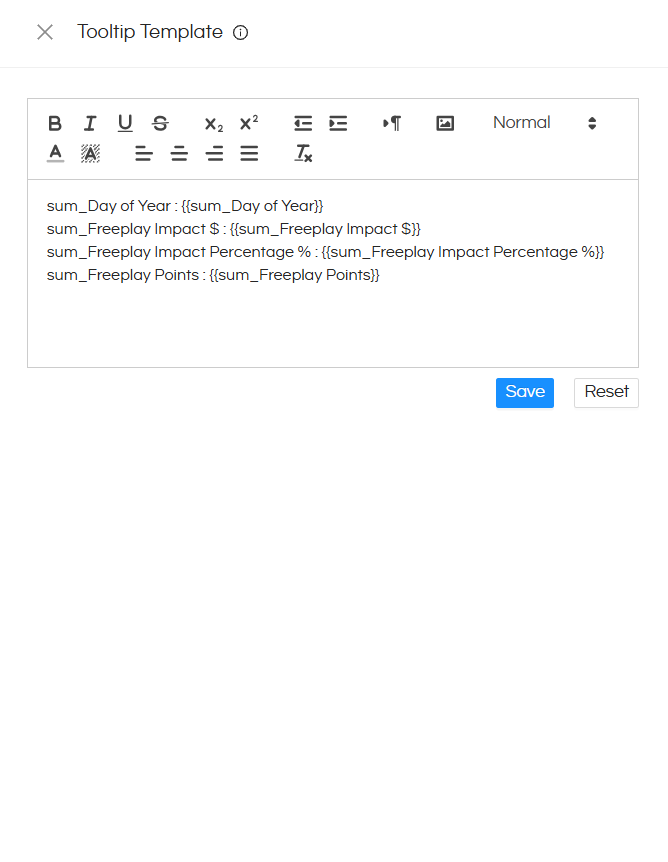
So far, the fields which are part of the rows/columns/marks were only visible in tooltip with no option to control it.
From version 6.2.1, a new “Tooltip” property has been introduced which can allow you to add new fields which can be displayed while the report is being shown. Further whatever fields are being displayed in tooltip can also be controlled, removed, edited as well.
Usage: https://www.helicalinsight.com/tooltip-property-with-configurable-fields/
4. Stepped Color Options in Existing Color Property
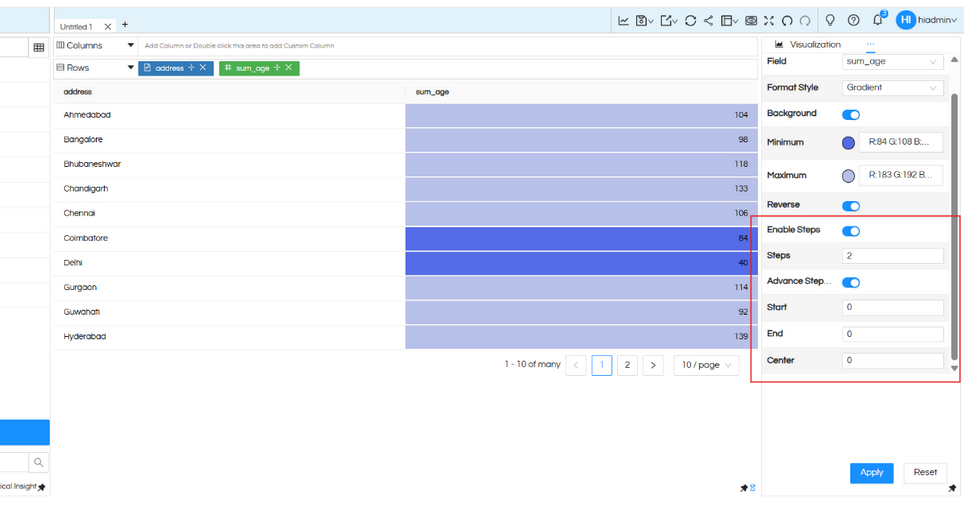
From version 6.2.1, in the color property, a stepped color option is also added. In case if we are using gradient color, the stepped color option allows to specify the number of color steps between the minimum value color and maximum value color.
Explore Color Configuration → https://www.helicalinsight.com/changing-color-on-a-report-in-helical-insight-5-0/
5. Percentage Values in Tooltip for Radial Charts
Tooltip support has been enhanced to display percentage values when radial property is enabled.
6. Text Visualization Renamed to Word Cloud
The existing “Text” visualization has been renamed to “Word Cloud” for better usability and clarity and avoid any confusion.
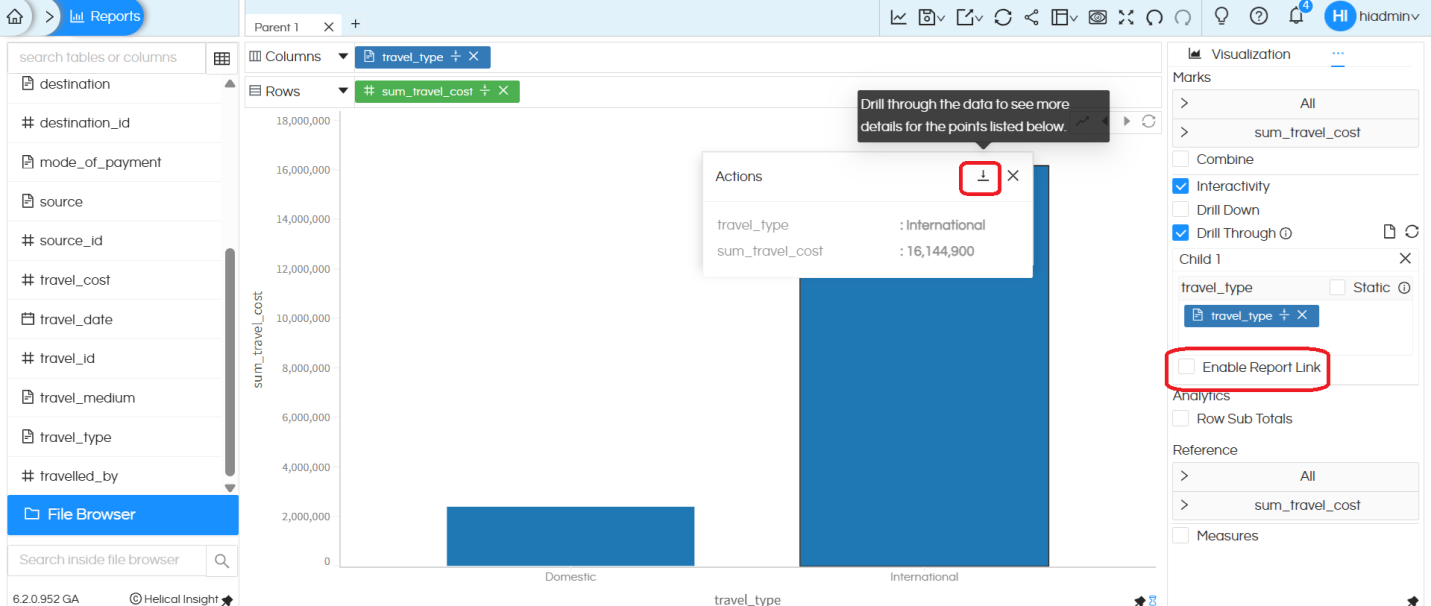
7. Configurable Drillthrough Default Option
Drill through property allows to click somewhere and open a detailed view in the same frame. There were 2 options present i.e. Drill Through & Drill Through Default.
- Drill Through: Opened child report based on where we have clicked thus showing limited data
- Drill Through Default: This opened the child report with all data (default values selected while configuring drill through)
In certain cases, to certain users, these 2 options could cause confusion. Hence, from version 6.2 onwards, there is an option to disable Drill Through Default. Hence it will only show Drill Through option only.
Learn More → https://www.helicalinsight.com/configuring-drill-through/
Helical Insight Platform Security Improvements
Security improvements have been implemented to remove critical vulnerabilities from the Helical Insight application.
What’s Coming Next in Helical Insight 7.0
The next major release, Helical Insight 7.0, will introduce powerful AI-driven analytics capabilities including:
- Conversational Analytics
- Natural Language Querying
- Bring Your Own LLM (BYO LLM) Support
- AI-powered Dashboard Exploration
- Chat-based Data Analysis
Experience Helical Insight 6.2.1
Helical Insight continues to be one of the leading open source BI tools for embedded analytics, reporting, dashboarding, white-label BI, and enterprise analytics platforms.
